
Is your GE dishwasher acting up with all its lights blinking at once? It can be confusing and frustrating when your appliance sends out a flashing signal, leaving you unsure about what’s wrong or how to fix it.
You’re not alone in facing this issue, and the good news is that these blinking lights usually point to specific problems you can solve. You’ll discover simple steps to understand what those blinking lights mean and how to get your dishwasher back to working smoothly.
Keep reading—your dishwasher’s next fix might be easier than you think!
Common Reasons For Blinking Lights
Blinking lights on your GE dishwasher signal a problem. These lights help show what needs fixing. Knowing the common causes saves time and effort. Most issues are simple to spot and fix.
Below are the usual reasons for blinking lights on your dishwasher.
Power Supply Issues
Power problems often cause blinking lights. Loose plugs or tripped breakers stop the dishwasher from running. Check the outlet and power cord first. A steady power flow is key for the dishwasher to work right.
Door Latch Problems
The dishwasher door must close tightly. A faulty latch triggers blinking lights. The machine won’t start if the door is open or loose. Inspect the latch for damage or dirt. Clean or replace it to fix the issue.
Control Board Malfunctions
The control board manages dishwasher functions. A glitch here causes blinking lights and errors. Power surges or moisture can harm the board. Resetting the dishwasher sometimes helps. A broken board may need professional repair.
Water Supply Interruptions
Water flow is vital for dishwasher cycles. A blocked hose or valve stops water supply. Without water, the dishwasher signals a problem by blinking lights. Check the water line for kinks or clogs. Fixing water issues often clears the blinking alerts.

Credit: www.reddit.com
Simple Troubleshooting Steps
When all the lights on your GE dishwasher start blinking, it can feel confusing. Simple troubleshooting steps can help find the problem fast. These steps do not need special tools or skills. Most of the time, you can fix the issue yourself and save a service call.
Start with the easy checks. These often solve the blinking light problem. Follow the steps below carefully to get your dishwasher working again.
Resetting The Dishwasher
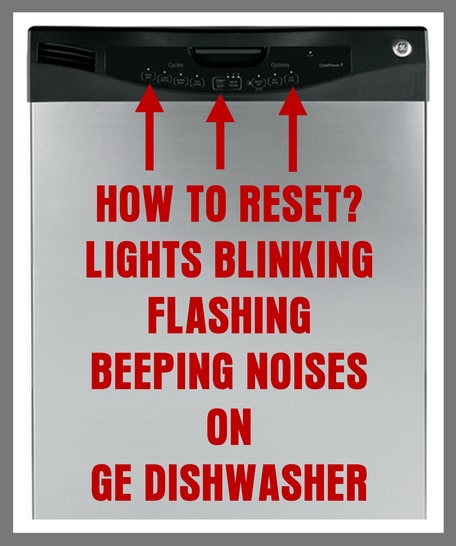
Resetting the dishwasher can clear minor errors. First, press the cancel or reset button on your control panel. Hold it for three seconds or until the lights stop blinking. If there is no reset button, unplug the dishwasher from the power outlet. Wait for one minute, then plug it back in. This simple reset can fix many small glitches.
Checking The Door Latch
The door latch must be fully closed for the dishwasher to run. Open the door and close it again firmly. Listen for a click sound, which shows the latch is locked. A loose or broken latch can cause the lights to blink. Check for any visible damage. Replace the latch if it looks broken or does not lock properly.
Inspecting The Power Source
Power problems can cause blinking lights. Make sure the dishwasher is plugged in correctly. Test the power outlet by plugging in another device. If the outlet does not work, reset the circuit breaker or replace the fuse. Also, check the dishwasher’s power cord for any damage. A damaged cord needs replacement to avoid safety risks.
Examining Water Inlet
The dishwasher needs water to run. Check if the water valve is open. Look for kinks or blockages in the water supply hose. Clean the inlet filter if it looks dirty or clogged. A blocked water inlet can stop the dishwasher and cause blinking lights. Fixing water flow issues can often solve the problem quickly.
When To Clean Filters And Sensors
Knowing when to clean the filters and sensors in your GE dishwasher is important. These parts help the dishwasher run smoothly and keep your dishes clean. Dirt and food particles can block them. This can cause the dishwasher lights to blink and stop working properly. Regular cleaning keeps your dishwasher in good shape and avoids problems.
Locating Filters And Sensors
Filters usually sit at the bottom of the dishwasher tub. Look under the lower spray arm or near the drain. Sensors can be inside the door or near the filters. Check your dishwasher’s manual for exact spots. Knowing where these parts are helps to clean them easily and correctly.
Cleaning Techniques
Remove filters gently. Rinse them under warm water to clear food bits. Use a soft brush to scrub if needed. Wipe sensors softly with a damp cloth. Avoid harsh cleaners or scrubbing tools. Let parts dry before putting them back. This simple cleaning can fix blinking lights and improve washing.
Signs Of Clogged Components
Watch for blinking lights on the control panel. Dishes may come out dirty or wet. You might hear strange noises during the cycle. Water may drain slowly or not at all. These signs show filters or sensors need cleaning. Acting quickly stops bigger dishwasher issues.
Credit: removeandreplace.com
Dealing With Error Codes
Dealing with error codes on your GE dishwasher can be confusing. The blinking lights show that the machine has a problem. Understanding these codes helps you fix the issue faster. This section explains how to identify error patterns, use the manual, and reset the dishwasher.
Identifying Error Patterns
Watch the blinking lights closely. Count how many times each light blinks. The pattern of blinks points to the specific error. Some codes blink quickly, others slowly. Note the order of blinks too. This pattern is a clue to the dishwasher’s problem.
Using The Manual For Codes
The dishwasher manual lists all error codes and their meanings. Match your blinking pattern with the codes in the manual. The manual tells you what the problem is and how to fix it. Keep the manual handy for quick reference.
Resetting After Error
Try resetting the dishwasher after noting the error code. Unplug it for a few minutes. Then plug it back in and turn it on. This can clear minor errors. If the lights still blink, the problem needs more attention.
Preventive Maintenance Tips
Preventive maintenance helps keep your GE dishwasher running smoothly. It reduces the chances of errors like all lights blinking. Simple steps can extend the life of your appliance. Regular care saves time and money on repairs.
Regular Cleaning Schedule
Clean the dishwasher filter every month. Food particles can block water flow. Wipe down the door edges and seals. This prevents mold and bad smells. Run a cleaning cycle with dishwasher cleaner once a month. It removes grease and limescale buildup inside.
Avoiding Overloading
Do not overload the dishwasher. Overcrowding blocks water spray and soap spread. Place dishes with space around them. This helps water reach all surfaces. Overloading can cause poor cleaning and error signals.
Proper Detergent Use
Use the right detergent for your dishwasher. Avoid using too much soap. Excess detergent causes foam and errors. Follow manufacturer instructions on detergent amount. Choose detergents made for automatic dishwashers only.

Credit: www.youtube.com
When To Call A Professional
Knowing when to call a professional for your GE dishwasher can save you time and money. Some issues need expert help for safe and proper repair. This section explains signs that mean you should seek professional assistance.
Persistent Blinking Lights
If the lights keep blinking after trying basic fixes, it signals a deeper problem. Continuous blinking may mean the control board or sensors are faulty. Professionals have tools to diagnose and fix these complex issues.
Unusual Noises Or Smells
Strange sounds or burning smells are warning signs. These issues can indicate electrical faults or motor problems. A trained technician can safely inspect and repair the dishwasher to prevent damage or hazards.
Complex Electrical Issues
Electrical problems like tripping breakers or no power need expert handling. Mishandling electrical parts can cause injury or worsen damage. Professional repair ensures the dishwasher works safely and efficiently again.
Frequently Asked Questions
Why Are All The Lights Blinking On My Ge Dishwasher?
All lights blinking usually means a problem with the control board or a power issue. It signals that the dishwasher needs attention or a reset.
How Do I Reset A Ge Dishwasher With Blinking Lights?
Press and hold the Start/Reset button for about 3 seconds to reset. This often clears minor errors and stops the blinking lights.
Can A Door Latch Cause All Lights To Blink On Ge Dishwasher?
Yes, a faulty or unlatched door can cause all lights to blink. Make sure the door closes firmly and the latch works properly.
Does A Ge Dishwasher Blinking Lights Indicate A Drainage Problem?
Blinking lights can indicate drainage issues if the dishwasher cannot drain water. Check for clogs in the drain hose or filter for a fix.
When Should I Call A Technician For Blinking Lights On Ge Dishwasher?
Call a technician if the reset does not work or the blinking continues. It may need professional diagnosis and repair for electrical or control board faults.
Conclusion
All lights blinking on your GE dishwasher means it needs attention. Check the door latch and power supply first. Sometimes, a simple reset fixes the problem quickly. If lights keep blinking, it might signal a deeper issue. Calling a professional can help avoid damage.
Regular cleaning and maintenance keep your dishwasher running well. Don’t ignore blinking lights—they protect your appliance. Fixing small problems early saves time and money later. Your dishwasher will work smoothly again with the right steps. Keep it clean, check parts, and stay alert to warnings.