
If you’ve just got a Porter Cable air compressor or are thinking about using one, you might wonder where to start. This powerful tool can make your projects easier and faster, but only if you know how to use it right.
In this guide, you’ll learn simple steps to get your air compressor up and running safely and effectively. Whether you’re inflating tires, powering nail guns, or tackling other tasks, you’ll find tips that save you time and prevent costly mistakes.
Keep reading to unlock the full potential of your Porter Cable air compressor and get your projects done like a pro.

Credit: www.youtube.com
Choosing The Right Porter Cable Air Compressor
Choosing the right Porter Cable air compressor is important for your project. The correct compressor makes tasks easier and faster. It saves time and effort. Many options are available, so understanding the types and features helps you pick the best one. Size matters too. A proper fit avoids buying too small or too big a compressor.
Types Of Porter Cable Air Compressors
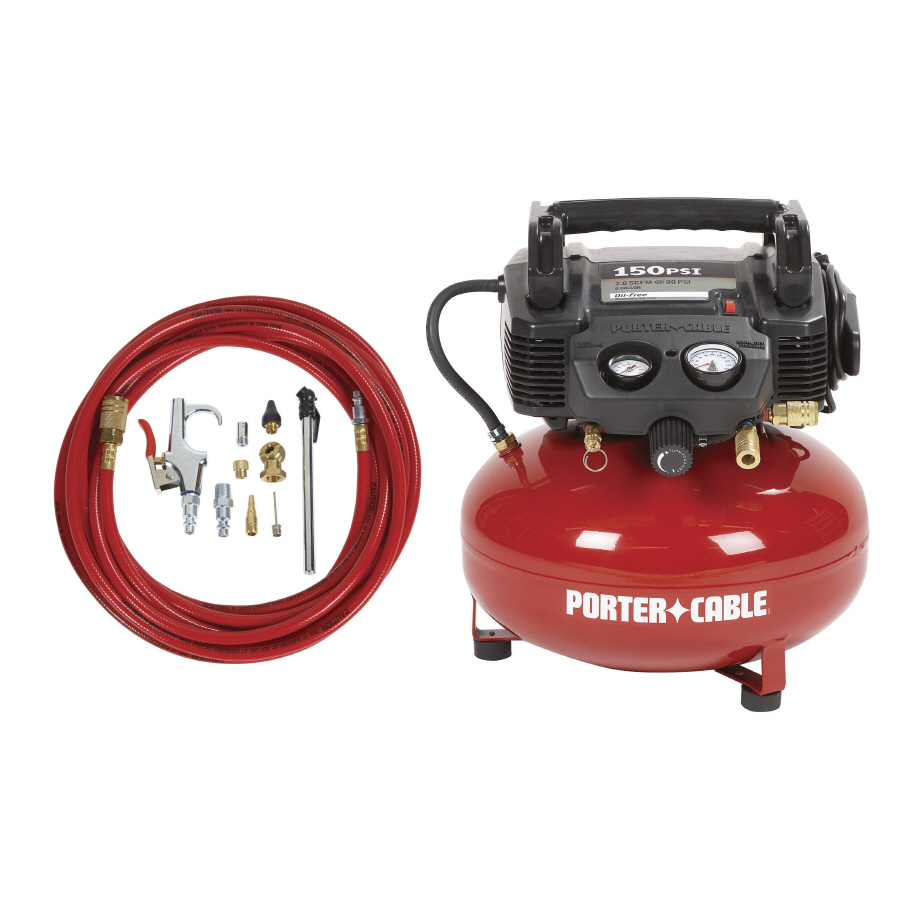
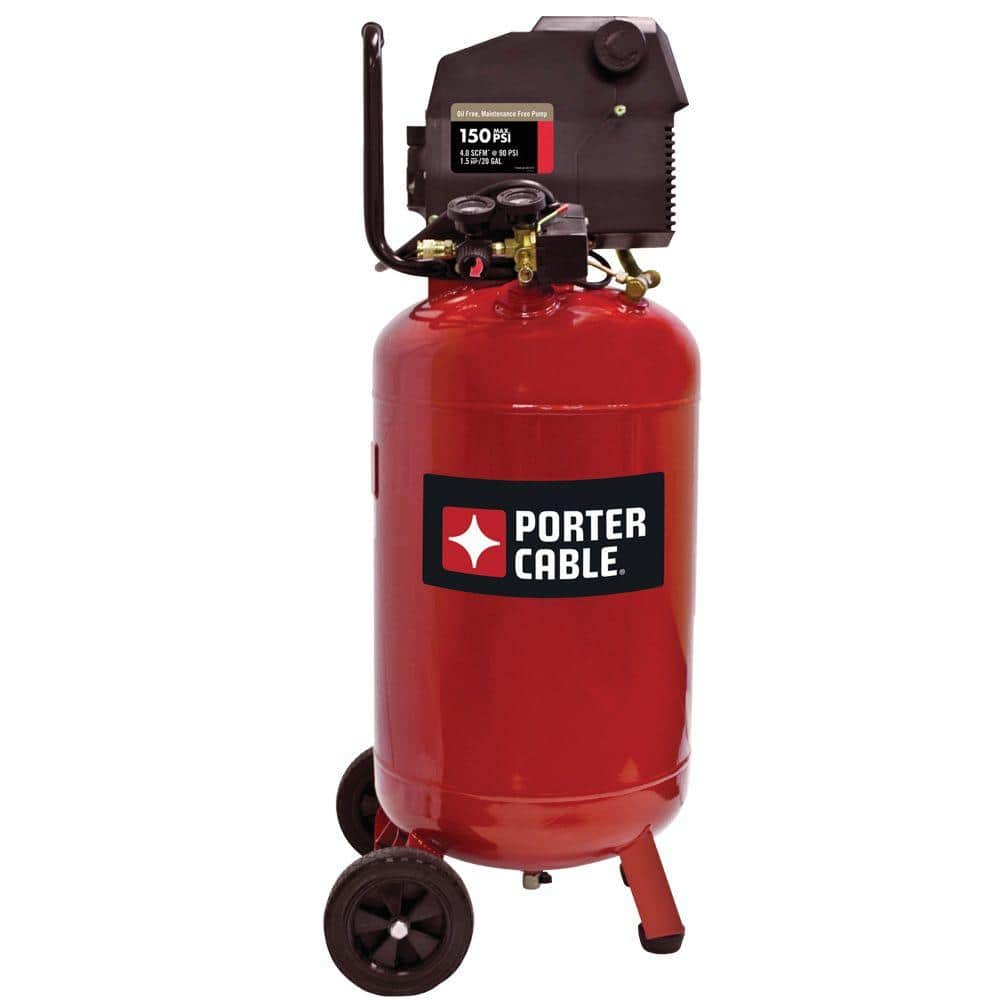
Porter Cable offers different types of air compressors. Pancake compressors are small and easy to carry. They work well for light tasks like nailing or inflating tires. Hot dog compressors have a horizontal tank. They provide more air and last longer during use. Portable air compressors are designed for easy movement. They suit jobs that need mobility. Stationary compressors have large tanks and high power. They are best for heavy-duty work in one place.
Key Features To Consider
Look for features that fit your needs. Check the tank size. Bigger tanks store more air for longer use. Consider the air delivery rate, measured in CFM (cubic feet per minute). A higher CFM means better performance. Noise level is important for comfort. Some compressors run quietly. Portability matters if you move around a lot. Also, check the power source. Electric models are common and easy to use. Gas-powered ones work well outdoors without electricity.
Sizing Your Compressor
Choose the right size based on your tools. Small compressors suit nail guns or airbrushes. Medium sizes handle spray guns and impact wrenches. Large compressors work for heavy tools like jackhammers. Calculate the total CFM needed by adding your tool requirements. Pick a compressor with slightly higher CFM than your total. This ensures smooth, uninterrupted work. Remember, bigger tanks mean longer work time without refilling.
Preparing Your Air Compressor For Use
Preparing your Porter Cable air compressor correctly helps ensure safety and better performance. A few simple steps before use can prevent damage and keep your work smooth. Follow these easy instructions to get your compressor ready.
Inspecting The Compressor
Start by checking the compressor for any visible damage. Look for cracks, dents, or loose parts. Make sure the air filter is clean and not clogged. Check the oil level if your model uses oil. Replace or refill oil if needed. Confirm the pressure gauge is working properly. Never use the compressor if you find serious problems.
Setting Up The Work Area
Choose a flat, dry surface to place the compressor. Keep the area free from dust and debris. Ensure there is enough space around the compressor for air circulation. Avoid placing it near flammable materials. Make sure the spot is well-ventilated to prevent overheating. Clear the floor so you can move easily while working.
Connecting Power And Air Hoses
Plug the compressor into a grounded electrical outlet. Use an extension cord only if necessary and choose one rated for the compressor’s power. Attach the air hose firmly to the compressor’s outlet valve. Check that the hose connections are tight to avoid air leaks. Connect the other end of the hose to your air tool. Double-check all connections before turning the compressor on.
Operating The Porter Cable Air Compressor
Operating the Porter Cable air compressor is simple and safe. Knowing how to start it, adjust pressure, and use the pressure regulator helps you get the best results. Follow these steps to run your compressor smoothly and efficiently.
Starting The Compressor
First, place the compressor on a flat surface. Plug it into a power outlet. Turn the power switch to the “on” position. You will hear the motor start. Wait a few moments for the tank to fill with air. The compressor will stop automatically once it reaches the set pressure. Your compressor is now ready to use.
Adjusting Pressure Settings
Check the pressure gauge to see the current air pressure. Locate the pressure adjustment knob. Turn the knob clockwise to increase pressure. Turn it counterclockwise to decrease pressure. Set the pressure according to your tool’s requirements. Avoid setting pressure too high to prevent damage.
Using The Pressure Regulator
The pressure regulator controls the air flow from the tank. Connect your air tool to the outlet. Turn the regulator knob to adjust output pressure. Use the gauge to monitor pressure levels. Adjust slowly for precise control. Proper regulation ensures safe and efficient tool operation.
Attaching And Using Air Tools
Attaching and using air tools with your Porter Cable air compressor is simple. This process lets you perform many tasks quickly and efficiently. Proper connection ensures the tools work well and last longer. Follow clear steps to select, connect, and operate your air tools safely.
Selecting Compatible Air Tools
Choose air tools that match your compressor’s pressure and flow rate. Check the PSI and CFM ratings on both the tool and compressor. Use tools designed for the same air hose size. This prevents leaks and ensures steady airflow. Avoid using tools that need more power than your compressor provides.
Connecting Tools To The Compressor
Turn off the compressor before attaching any tools. Use clean, dry air hoses to avoid damage. Push the hose connector firmly into the tool’s air inlet. Secure the connection with a locking clip if available. Check for air leaks by listening for hissing sounds or feeling for airflow.
Operating Common Air Tools
Start with the compressor pressure set to the tool’s recommended level. Hold the tool firmly and point it away from your body. Press the trigger or switch to start the tool. Use short bursts for better control and to save air. Turn off the compressor and release pressure after use.
Maintaining Your Porter Cable Air Compressor
Maintaining your Porter Cable air compressor keeps it working well and lasting longer. Regular care prevents problems and saves money on repairs. Simple steps keep the air compressor safe and efficient. Follow these easy tips to care for your machine.
Draining Moisture From The Tank
Moisture builds up inside the tank after use. This water can cause rust and damage. Drain the tank after each use by opening the drain valve. Let all water flow out completely. Close the valve tightly to avoid leaks.
Cleaning And Replacing Filters
Dirty filters reduce air flow and strain the compressor. Check the air filter regularly for dust and dirt. Remove the filter and clean it with warm soapy water. Let it dry fully before putting it back. Replace the filter if it looks worn or damaged.
Checking Oil Levels And Lubrication
Some Porter Cable models need oil to run smoothly. Check the oil level often using the sight glass or dipstick. Add the right oil type if the level is low. Change the oil after the first 20 hours of use and then every 200 hours. Keep all moving parts lubricated to avoid wear.
Credit: www.safety-devices.com
Troubleshooting Common Issues
Troubleshooting common issues with a Porter Cable air compressor helps keep it running smoothly. Small problems can stop your work. Fixing them fast saves time and money.
Below are common problems and easy fixes. Follow these steps to get your compressor back to work.
Compressor Won’t Start
Check if the power cord is plugged in properly. Make sure the outlet works by testing with another device. The on/off switch should be in the “on” position. Reset the circuit breaker if it has tripped. Look for a blown fuse and replace it if needed. If the motor is hot, wait for it to cool down before trying again.
Low Air Pressure Problems
Inspect the air hose for leaks or cracks. Tighten all fittings and connections. Drain any water from the tank using the drain valve. A full tank can reduce pressure. Make sure the pressure regulator is set correctly. Clean or replace the air filter to improve airflow. Check if the compressor pump is working properly.
Unusual Noises And Vibrations
Loose parts can cause noise and vibrations. Tighten bolts and screws on the compressor. Place the compressor on a flat, stable surface. Check the motor mount for wear or damage. Lubricate moving parts if the model requires it. Strange sounds may mean worn bearings or internal damage. Stop using the compressor if noise continues and get it serviced.
Safety Tips For Using Air Compressors
Using a Porter Cable air compressor safely helps avoid accidents and injuries. Air compressors work under high pressure, which can be dangerous without proper care. Follow simple safety tips to keep yourself and others protected.
Wearing Protective Gear
Always wear safety glasses to protect your eyes from flying debris. Use ear protection to guard against loud noise from the compressor. Gloves can protect your hands from hot surfaces and sharp parts. Dress in long sleeves and pants to shield your skin.
Avoiding Overheating
Do not run the compressor nonstop for long periods. Give it breaks to cool down and prevent damage. Check the air filter and clean it regularly to keep air flowing. Place the compressor in a well-ventilated area to avoid heat buildup.
Safe Storage Practices
Store the air compressor in a dry, clean place away from children. Release all pressure before storing to avoid accidents. Coil hoses neatly to prevent tripping hazards and damage. Keep the compressor upright to protect internal parts.
Credit: www.homedepot.com
Frequently Asked Questions
What Safety Tips Should I Follow When Using A Porter Cable Air Compressor?
Always wear safety goggles and hearing protection. Keep the area clean and never point the hose at people. Check for leaks before starting the compressor.
How Do I Connect Tools To A Porter Cable Air Compressor?
Attach the tool’s air hose to the compressor’s quick-connect fitting. Ensure the connection is tight to avoid air leaks. Turn on the compressor to supply air.
How Often Should I Drain The Air Tank On A Porter Cable Compressor?
Drain the tank after each use to remove moisture. This prevents rust and keeps the compressor working well. Use the drain valve located at the tank’s bottom.
What Pressure Settings Are Best For Different Tasks?
Check your tool’s manual for recommended pressure. Most tasks require 90-120 PSI. Adjust the pressure regulator knob on the compressor to match.
Can I Use A Porter Cable Air Compressor Indoors Safely?
Yes, but ensure the area is well-ventilated. Avoid using it in small, closed spaces. Keep the compressor on a flat, stable surface to prevent accidents.
Conclusion
Using a Porter Cable air compressor is simple and practical. Follow the steps carefully for safe use. Check the pressure and connect tools properly. Always wear safety gear during operation. Keep the compressor clean and store it well. Regular maintenance helps it last longer.
This tool makes many jobs easier around the home. Practice often to feel more confident. Soon, you will handle tasks with ease and speed. Give it a try and enjoy the results.