Is your LG dishwasher leaving your dishes dirty and frustrating you every time you open it? You expect sparkling clean plates, but instead, you find spots, leftover food, or a greasy film.
It’s annoying, and you’re probably wondering why this keeps happening. You’re not alone, and the good news is that the problem often has simple fixes. Keep reading, and you’ll discover the common reasons your LG dishwasher isn’t cleaning properly—and how you can get it back to working like new.
Don’t let dirty dishes slow you down any longer.
Common Causes Of Poor Cleaning
Poor cleaning results from your LG dishwasher can be frustrating. Several common issues cause dishes to come out dirty or spotted. Understanding these problems helps fix them quickly. This section explains the main reasons why your dishwasher may not clean well.
Clogged Spray Arms
Spray arms push water to clean dishes. Food particles or hard water can block their holes. Blocked spray arms reduce water flow and cleaning power. Clean spray arms regularly to keep water spraying strong and reach all dishes.
Dirty Filters
Filters trap food and debris during washing. Over time, they get clogged and stop water from flowing well. A dirty filter causes water to drain slowly and dishes to stay dirty. Clean the filters often to keep your dishwasher working well.
Incorrect Detergent Usage
Using the wrong detergent affects cleaning results. Too much detergent can leave residue on dishes. Too little detergent cannot remove grease and food. Use the detergent made for dishwashers and follow the package instructions.
Overloading The Dishwasher
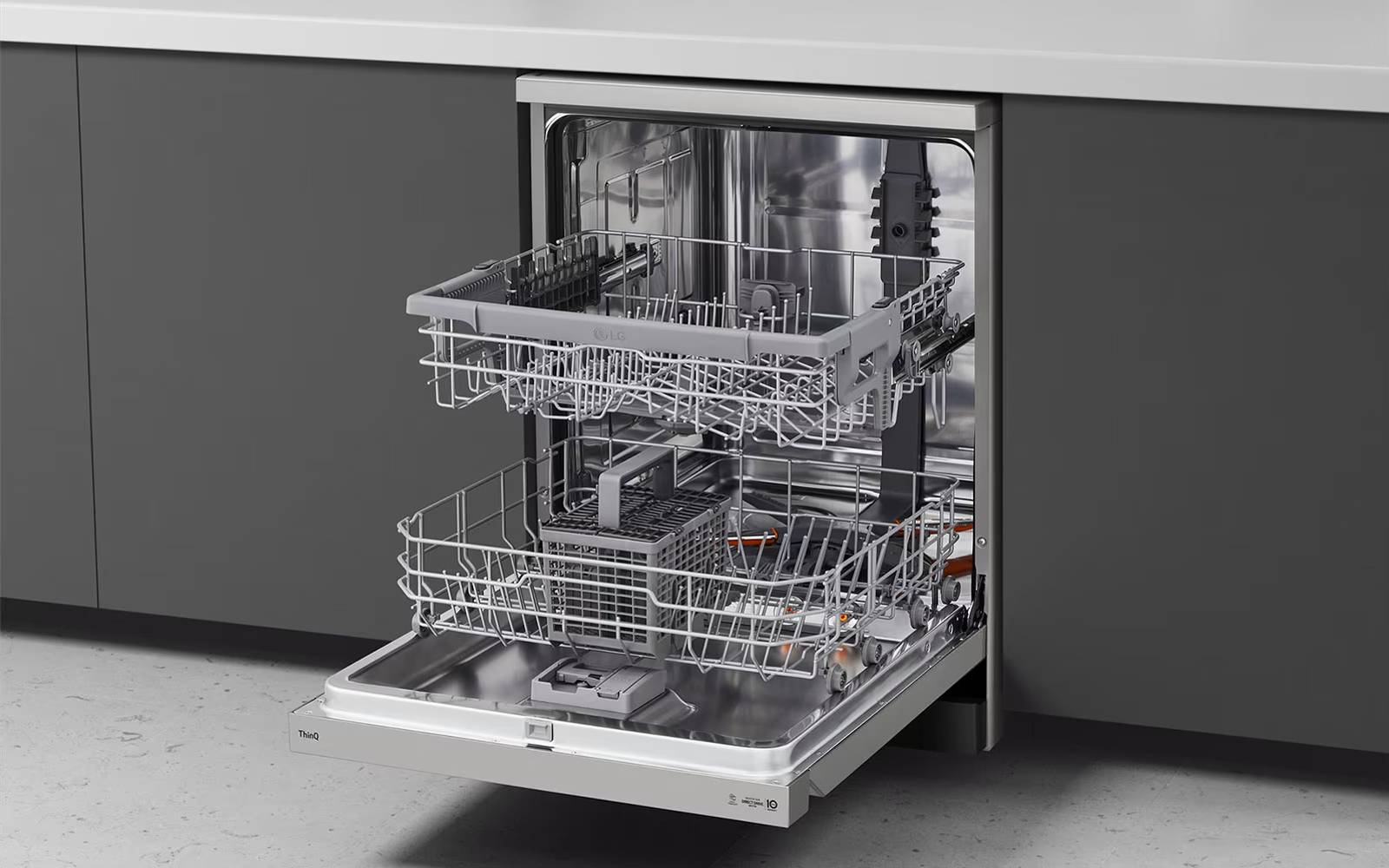
Putting too many dishes in the dishwasher blocks water and detergent. Dishes may not get enough water to clean. Plates and bowls should not cover spray arms or block detergent release. Load the dishwasher with space between items for best cleaning.
Water Temperature Issues
Water temperature affects cleaning power. Water that is too cold cannot dissolve detergent well. Dishes come out dirty or greasy. Check that the water heater is set to 120°F (49°C) for best results. Run the hot water tap before starting the dishwasher.
Credit: www.lg.com
Checking And Cleaning Spray Arms
Spray arms play a key role in cleaning dishes in your LG dishwasher. They spray water to remove food and dirt. Over time, spray arms can get blocked by food bits or mineral deposits. Checking and cleaning spray arms helps improve washing performance.
Regular cleaning keeps water flowing freely. This ensures dishes come out clean and shiny. Follow these steps to check and clean the spray arms in your LG dishwasher.
Removing Spray Arms
First, open the dishwasher door fully. Take out the bottom rack to access the lower spray arm. For the upper spray arm, remove the top rack if needed. Most spray arms twist or snap off easily. Gently twist the spray arm counterclockwise to remove it. If it feels stuck, check the user manual for your model.
Clearing Blockages
Look closely at the spray arm holes. Food particles or hard water deposits may clog them. Use a toothpick or small brush to clear each hole. Rinse the spray arm under running water to wash away debris. Soaking it in vinegar helps dissolve mineral build-up. Clean both lower and upper spray arms thoroughly.
Reinstalling Properly
After cleaning, place the spray arms back in position. Align them with their mounting points. Twist or snap the spray arms into place firmly. Make sure they spin freely without resistance. Close the dishwasher door and run a short cycle. Check if water sprays evenly and dishes get cleaner.
Maintaining Filters
Maintaining the filters in your LG dishwasher is key to clean dishes. Filters catch food bits and debris during washing. If filters clog, water flow slows, and dishes stay dirty.
Regular care of filters keeps your dishwasher working well. It stops bad smells and helps remove stuck food. Clean filters mean better washing power and shiny dishes every time.
Locating The Filters
Open the dishwasher door fully. Look at the bottom inside the tub. The filters sit under the spray arm or near the bottom rack. Usually, you will see a round or rectangular mesh filter.
Some models have two filters: a coarse filter and a fine filter. Check your user manual for exact filter placement. Knowing where filters are helps in quick cleaning.
Cleaning Process
Remove the bottom rack to access the filters easily. Turn the filter counterclockwise to unlock it. Pull the filter out gently to avoid damage.
Rinse the filters under running warm water. Use a soft brush to clean stuck debris and grease. Avoid harsh scrubbers that can tear the mesh. After cleaning, place the filters back securely.
Frequency Of Maintenance
Clean the filters every two weeks for normal use. More often if you wash many dishes daily. Regular cleaning stops blockages and keeps water flowing well.
Check filters monthly for damage or wear. Replace if you see holes or tears. Proper filter care extends your LG dishwasher’s life and efficiency.
Optimizing Detergent And Rinse Aid
Optimizing detergent and rinse aid plays a key role in how well an LG dishwasher cleans dishes. Using the right products and the correct amounts can improve cleaning results. It also helps avoid leftover residue and spots on plates and glasses. Simple changes in detergent and rinse aid use can make a big difference in dishwashing performance.
Choosing The Right Detergent
Select a detergent designed for dishwashers, not hand washing. Look for brands that work well with LG models. Powder, liquid, and pod detergents all work but check which suits your dishwasher best. Avoid using too old or expired detergent. Fresh detergent cleans better and dissolves properly during cycles.
Proper Detergent Amount
Use the detergent amount suggested in the LG dishwasher manual. Too little detergent leaves dishes dirty. Too much detergent causes residue and buildup. Adjust the amount based on how dirty the dishes are. For light loads, reduce detergent. For heavy loads, use the full recommended amount for better cleaning.
Using Rinse Aid Effectively
Rinse aid prevents water spots and improves drying. Fill the rinse aid dispenser regularly to keep it working. Check the rinse aid level before each wash cycle. Adjust the rinse aid setting on your LG dishwasher to match your water hardness. Proper rinse aid use helps dishes come out shiny and clean every time.
Correct Loading Techniques
Loading your LG dishwasher correctly is key to clean dishes. Poor loading stops water and detergent from reaching all items. This lowers cleaning power. Follow simple steps to load right. It saves time and avoids rewashing.
Avoiding Overcrowding
Do not cram too many dishes inside. Overcrowding blocks water spray. It leaves spots and food bits on plates. Leave space between dishes for water to flow. Crowded racks reduce cleaning efficiency.
Proper Placement Of Dishes
Place plates and bowls facing the spray arms. Cups and glasses go on the top rack. Bowls should tilt slightly down to drain water. Large items like pots belong on the bottom. Avoid nesting dishes inside each other.
Separating Different Types Of Items
Keep plastic and metal items apart. Mix of materials may cause poor cleaning or damage. Separate utensils in the cutlery basket with handles down. Lay sharp knives flat for safety. Sort items by size and type for best results.

Credit: www.reddit.com
Ensuring Adequate Water Temperature
Water temperature plays a key role in how well your LG dishwasher cleans dishes. Water that is too cool cannot remove grease and food particles effectively. Hot water helps dissolve soap and break down food stuck on plates and glasses. Ensuring the water is hot enough improves cleaning results and keeps your dishwasher working well.
Recommended Temperature Settings
LG dishwashers work best with water temperature between 120°F and 140°F. This range helps break down tough stains and food residue. Water below 120°F may leave dishes dirty or spotted. Water hotter than 140°F can damage some dishwasher parts or your dishes.
Testing Water Temperature
Check your water temperature using a kitchen thermometer. Run hot water at the sink closest to the dishwasher. Place the thermometer under the running water for a few seconds. Read the temperature to see if it fits within the recommended range. This test helps spot if your water heater needs adjustment.
Adjusting Home Water Heater
Adjust your water heater to reach the right temperature. Locate the thermostat on the heater unit. Turn the dial or use controls to set the temperature between 120°F and 140°F. Wait for an hour after adjusting for the change to take effect. Retest the water temperature before running the dishwasher again.
Additional Troubleshooting Tips
Sometimes, LG dishwashers stop cleaning dishes properly. Basic checks might not fix the problem. Try these extra tips to find the cause. These steps help you understand what might be wrong.
Inspecting Door Seals
Door seals stop water from leaking out. If they are dirty or torn, water may escape. Check for cracks, dirt, or damage on the seals. Clean the seals gently with a damp cloth. Replace them if they look worn out. Good seals keep water inside for proper cleaning.
Checking Water Inlet Valve
The water inlet valve controls water flow into the dishwasher. A clogged or faulty valve limits water supply. Turn off power and water before checking. Remove the valve and clean any debris inside. Test the valve with a multimeter for electrical issues. Replace the valve if it does not work well.
Running Diagnostic Tests
LG dishwashers have built-in diagnostic modes. These tests help find errors in the system. To start, press specific buttons as per your model’s manual. The dishwasher will run self-checks and show error codes. Note the codes to understand the problem. Use the codes to guide repairs or call support.

Credit: www.reddit.com
When To Call A Professional
Knowing when to call a professional for your LG dishwasher saves time and stress. Some problems need expert care to fix correctly. Avoid making issues worse by trying repairs beyond your skill.
Persistent Cleaning Issues
When your dishwasher keeps leaving dishes dirty, it signals a deeper problem. Cleaning filters and spray arms may not solve it. A technician can check hidden parts and water flow for hidden faults.
Electrical Or Mechanical Problems
Strange noises, failure to start, or error codes often mean electrical or mechanical faults. These issues need professional tools and knowledge. DIY fixes might cause harm or void your warranty.
Warranty Considerations
LG dishwashers usually come with a warranty. Repairs by unapproved technicians can cancel this coverage. Calling an authorized service protects your warranty and ensures proper repairs.
Frequently Asked Questions
Why Is My Lg Dishwasher Not Cleaning Dishes Well?
Clogged spray arms or filters can block water flow. Check and clean these parts regularly.
Can Hard Water Affect Lg Dishwasher Cleaning?
Yes, hard water can cause spots and reduce cleaning. Use a water softener or dishwasher cleaner.
How Does Loading Dishes Affect Lg Dishwasher Cleaning?
Overloading or blocking spray arms stops water from reaching all dishes. Load dishes with space between them.
Could Detergent Choice Cause Lg Dishwasher Cleaning Issues?
Using wrong or old detergent can reduce cleaning power. Use fresh, recommended dishwasher detergent only.
Why Does My Lg Dishwasher Leave Food Residue On Dishes?
Food filters may be dirty or drain clogged. Clean filters and check the drain for blockages.
Conclusion
A dishwasher that does not clean dishes can cause daily hassle. Check the spray arms, filters, and detergent for common problems. Regular cleaning helps keep your LG dishwasher working well. Small fixes often restore its cleaning power quickly. Pay attention to water temperature and loading style too.
Taking simple steps can save time and money. Keep your dishwasher in good shape for clean dishes every time.