
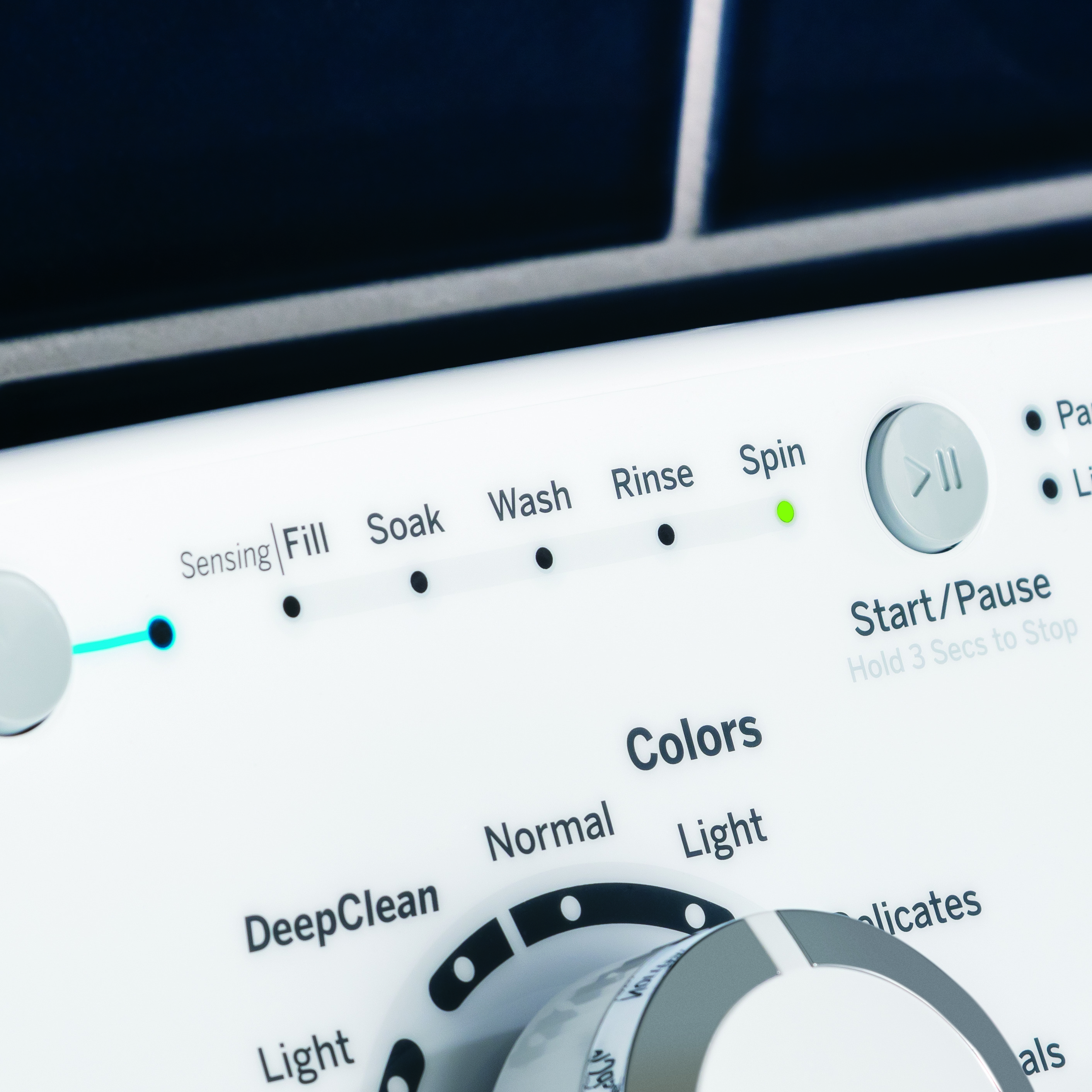
Is your GE washer’s spin light blinking and leaving you frustrated? You’re not alone.
When that little light starts flashing, it’s your washer’s way of telling you something isn’t right. But what does it mean, and more importantly, how can you fix it quickly? Don’t let a blinking spin light disrupt your laundry routine.
You’ll discover the common reasons behind this issue and simple steps you can take to get your washer back to working smoothly. Keep reading—you’ll be glad you did.
Reasons For Spin Light Blinking
The spin light blinking on your GE washer signals a problem that stops the spin cycle. It helps you find the issue fast. This blinking warns that the washer needs attention before it can work properly again.
Several reasons cause the spin light to blink. Understanding these reasons helps you fix the problem or know when to call a technician. Here are the common causes of the spin light blinking.
Door Lock Issues
The washer won’t spin if the door is not locked properly. The door lock switch tells the machine the door is closed. If the lock is broken or dirty, the washer won’t start spinning. Check the door latch and clean it if needed.
Unbalanced Load
Uneven clothes inside the drum stop the spin cycle. The washer detects the load and tries to balance it. If clothes are bunched up, the spin light blinks. Spread the clothes evenly and try again.
Drainage Problems
If water does not drain, the washer won’t spin. A clogged drain hose or pump causes water to stay inside. The machine waits for the water to go out before spinning. Check the drain hose and clean the pump filter.
Motor Malfunction
The motor drives the spin cycle. If it fails, the washer cannot spin. Motor problems can be due to wear or electrical faults. A blinking spin light may indicate a motor issue needing repair.
Control Board Errors
The control board manages all washer functions. If it has a fault, the spin cycle can stop. Error codes may show with the blinking light. Resetting or replacing the control board may fix the problem.

Credit: www.reddit.com
How To Reset Your Ge Washer
Resetting your GE washer can fix many common problems, including a blinking spin light. This process refreshes the machine’s system and clears minor errors. It helps the washer run smoothly again without calling a technician.
Several reset methods work well for different issues. Try each one carefully to see which works best for your washer model. These simple steps often save time and money.
Power Cycle Method
First, unplug the washer from the power outlet. Wait at least one minute before plugging it back in. This pause lets the machine reset its electronics. After plugging it back, press the Start button to check if the blinking stops.
Control Panel Reset
Press and hold the Start or Pause button for about 5 seconds. Release the button and wait for the control panel lights to change. This action resets the control panel and clears errors. Then, try running a spin cycle again.
Circuit Breaker Reset
Locate your home’s circuit breaker panel. Find the breaker connected to the washer and switch it off. Wait 30 seconds, then turn it back on. This reset cuts and restores the power supply. Check the washer to see if the spin light stops blinking.
Fixing Door Lock Problems
The spin light blinking on your GE washer often signals door lock issues. Fixing these problems helps your washer work safely. The door lock keeps the door shut during washing. If it fails, the washer may stop or blink the spin light. Fixing door lock problems is simple with the right steps.
Start by checking the door latch and seal. These parts must fit tightly and work well. Next, replace any faulty door lock parts to restore function. Cleaning the door lock mechanism can also clear dirt and help it work better.
Check Door Latch And Seal
Look at the door latch for any damage or wear. The latch must catch securely every time. Also, check the door seal for cracks or dirt. A damaged seal stops the door from closing fully. Clean the seal with a damp cloth to remove grime. Replace the seal if it is torn or broken.
Replace Faulty Door Lock
Sometimes the door lock itself breaks. Signs include the door not locking or the spin light blinking. Buy a replacement lock made for your GE washer model. Turn off the power and unplug the washer first. Remove the old lock with a screwdriver. Connect the new lock and secure it in place. Test the door to see if it locks properly.
Clean Door Lock Mechanism
Dust and dirt can jam the lock mechanism. Use a soft brush or cloth to clean the lock area. Avoid using water directly on electrical parts. Clean all moving parts gently to remove buildup. This simple step helps the lock work smoothly and stops blinking lights.
Balancing The Washer Load
The spin light blinking on your GE washer often signals an unbalanced load. Balancing the washer load is key to stopping this issue. When clothes are unevenly spread or too heavy, the washer struggles to spin properly. This can cause the spin light to blink as the machine tries to correct itself. Properly balancing the load keeps your washer running smoothly and protects it from damage.
Distribute Clothes Evenly
Place clothes around the agitator or drum evenly. Avoid piling all items to one side. Spread large and small items in different spots. This helps the washer stay balanced during the spin cycle. An even load reduces the chance of the spin light blinking.
Reduce Overloading
Do not fill the washer beyond its capacity. Overloading makes it hard for the drum to spin freely. The washer may stop and the spin light will blink. Leave enough space for clothes to move around. This helps the washer work efficiently.
Use Smaller Loads
Try washing smaller loads more often. Large loads increase the risk of imbalance. Smaller loads allow the washer to spin properly. This lowers the chance of the spin light blinking. It also helps clean your clothes better.
Clearing Drainage Blockages
Clearing drainage blockages is key to fixing the spin light blinking on your GE washer. Blocked drainage stops water from leaving the machine. This causes the washer to stop spinning and the light to blink. Simple checks and cleaning can fix this issue fast.
Start by inspecting the parts that move water out. Check if water flows freely through the drain hose. Clean the pump filter to remove dirt and debris. Look for kinks or clogs that block water flow. These steps help your washer drain properly and stop the blinking light.
Inspect Drain Hose
Find the drain hose at the back of your washer. Look for bends or damage. Straighten any sharp bends. Remove the hose and run water through it. If water does not flow easily, clean or replace the hose. A clear hose helps water drain fast.
Clean Pump Filter
Locate the pump filter near the washer base. Open the cover and prepare a towel for water spills. Turn the filter counterclockwise to remove it. Clean out lint, coins, and debris. Rinse the filter under running water. Replace it securely. A clean filter stops clogs and improves drainage.
Check For Kinks And Clogs
Examine all drainage parts for kinks or clogs. Look inside the hose and pump area. Remove any blockages carefully. Use a flashlight for better view. Clear pipes let water flow smoothly. This prevents the spin light from blinking.
Credit: www.spencerstv.com
Addressing Motor And Control Issues
The spin light blinking on your GE washer often points to motor or control issues. These problems can stop your washer from spinning properly. Fixing motor and control problems can bring your washer back to life quickly.
Start by checking the motor’s function. Then, inspect the control board for faults. Know when to call a technician to avoid bigger issues.
Test Motor Functionality
Unplug the washer before testing the motor. Use a multimeter to check motor continuity. No reading means the motor is broken. Listen for unusual noises during the spin cycle. A humming sound may show the motor is stuck. Clean any debris around the motor. Test the motor’s connection cables for damage. Replace the motor if tests fail.
Examine Control Board
Remove the control panel cover carefully. Look for burnt spots or broken parts on the board. Loose wires can cause blinking lights. Check all wire connections firmly. Use a multimeter to test the control board circuits. A faulty board often causes the spin light to blink. Replace the control board if it shows damage.
When To Call A Technician
Call a technician if tests are unclear or complex. Avoid fixing electrical parts if unsure. Professional help prevents damage and injury. A technician can diagnose hidden motor or control problems. They also have the right tools for repairs. Don’t delay calling for help when needed.
Preventive Maintenance Tips
Preventive maintenance helps keep your GE washer running smoothly. It stops problems before they start. Regular care extends the life of your machine. It also reduces errors like the spin light blinking issue. Follow these simple tips to avoid trouble and save money.
Regular Cleaning
Clean the washer drum often to remove dirt and soap build-up. Wipe the door seal to prevent mold and mildew. Clean the detergent drawer regularly to avoid clogs. Use a washer cleaner once a month to keep it fresh. Clean filters also help the machine work well.
Routine Inspections
Check hoses for cracks or leaks every few months. Look for loose or damaged parts inside and outside the washer. Inspect the drain pump filter for blockages. Listen for strange noises during spinning. Early checks catch issues before they get worse.
Proper Load Management
Do not overload the washer. Too many clothes cause imbalance and errors. Spread clothes evenly inside the drum. Wash heavy and light items separately. Follow the load size recommended by GE. Proper loading prevents the spin light from blinking.

Credit: www.youtube.com
Frequently Asked Questions
Why Is The Spin Light Blinking On My Ge Washer?
The blinking spin light usually means the washer is having trouble spinning. It could be due to an unbalanced load or a lid lock issue.
How Do I Fix A Blinking Spin Light On Ge Washer?
Try redistributing clothes evenly in the drum and close the lid firmly. Reset the washer by unplugging it for a minute.
Can A Stuck Lid Cause The Spin Light To Blink?
Yes, a stuck or faulty lid lock can prevent spinning and cause the light to blink. Check if the lid closes properly.
Does The Washer Drain Affect The Spin Light Blinking?
Poor draining can stop the washer from spinning and make the spin light blink. Clear any clogs in the drain hose or pump.
When Should I Call A Technician For Blinking Spin Light?
Call a technician if the blinking continues after balancing the load and checking the lid lock. It could be a motor or sensor issue.
Conclusion
The spin light blinking on your GE washer signals a possible issue. Check the lid lock and balance of your laundry. Clear any blockages and reset the machine if needed. These steps often fix the problem quickly. Regular care helps keep your washer running smoothly.
Don’t ignore blinking lights; they guide you to safe and effective use. Small fixes can save time and money. Stay attentive to these signs for better laundry days ahead.