
Is your Sonos speaker suddenly showing a blinking red light? You might be wondering what it means and how to fix it fast.
That flashing red can be frustrating, especially when you just want to enjoy your music. Don’t worry—this guide will help you understand why your Sonos is blinking red and what simple steps you can take to get it back to working perfectly.
Keep reading to solve the problem quickly and get your sound system humming again.
Why Sonos Blinks Red
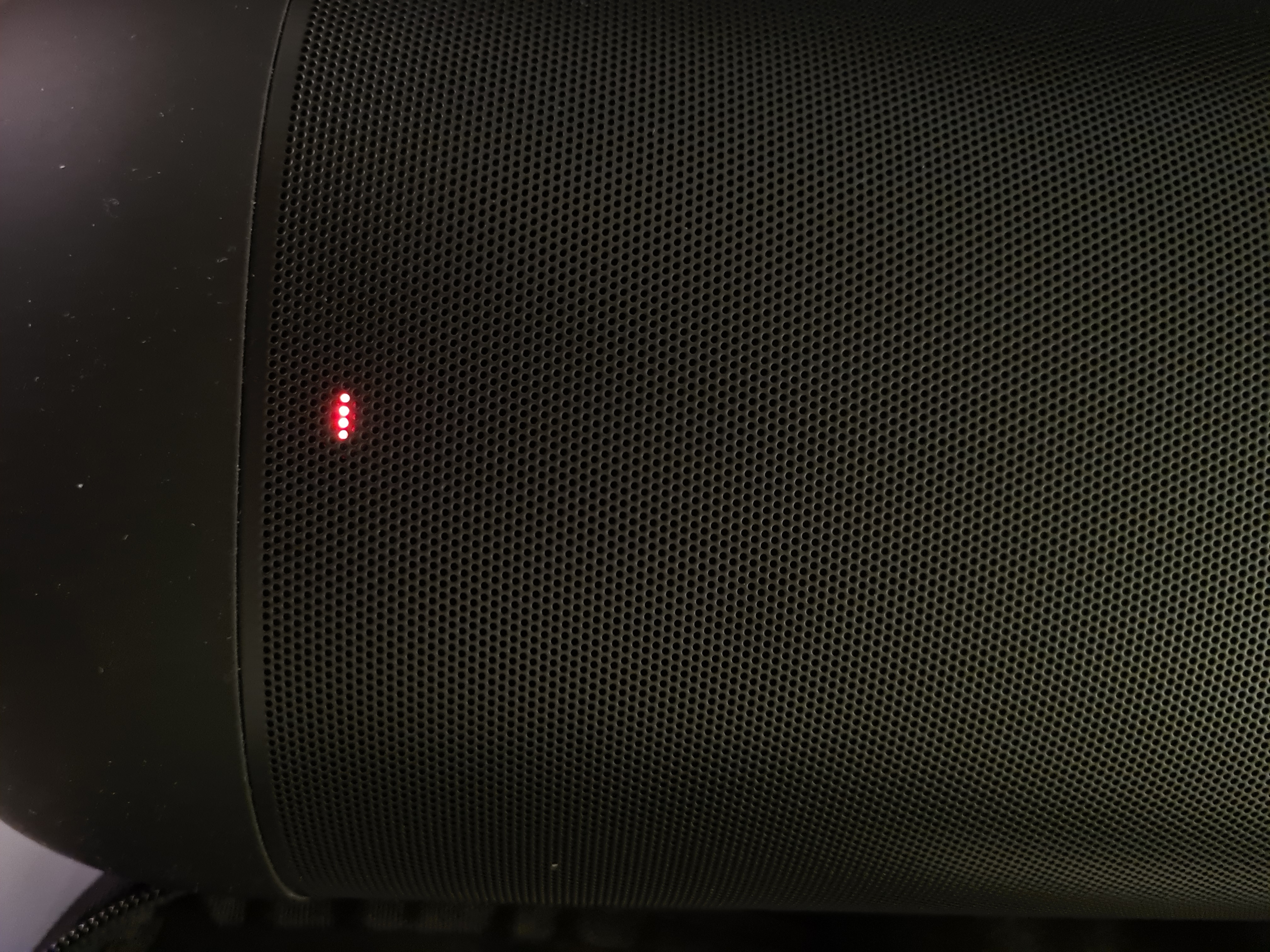
The Sonos speaker blinking red can cause concern. This light signals that something needs attention. Understanding why Sonos blinks red helps fix the issue fast. It avoids long interruptions in your music or sound experience.
Different reasons can cause the red light to appear. Some are simple problems. Others need more care. Knowing these reasons lets you act quickly and keep your Sonos working well.
Common Causes
One common cause is a power issue. The speaker might not get enough power or the cable may be loose. Another cause is overheating. If the speaker gets too hot, it blinks red to warn you. Network problems can also trigger the red light. If Sonos cannot connect to Wi-Fi, it may blink red. Faulty hardware or software errors are other reasons. These need more detailed checks or updates.
What The Red Light Means
The red light usually means a problem with the speaker. It is a warning to check the device. Sometimes, it signals a hardware fault. Other times, it shows a software glitch or connection failure. The blinking red light acts as an alert to stop and fix the issue. This helps protect the device and ensures better sound quality.

Credit: www.reddit.com
Basic Troubleshooting Steps
Basic troubleshooting steps can help fix the Sonos blinking red light. This light often signals a problem. It could be a power issue or a network glitch. Trying a few simple fixes might solve it quickly. Follow these easy steps to get your Sonos working again.
Restart Your Sonos Device
Turn off your Sonos speaker. Wait about 10 seconds. Then, turn it back on. Restarting clears temporary errors. This can stop the red light from blinking. It is the easiest fix to try first.
Check Power Connections
Make sure the power cable is firmly plugged in. Check both ends—the speaker and the outlet. Try a different outlet if needed. Loose or faulty connections often cause the red light. Secure power helps the device run smoothly.
Reset Network Settings
Sonos needs a stable internet connection. Resetting network settings can fix connection issues. Open the Sonos app and go to settings. Find the network reset option and follow instructions. This can stop the blinking red light caused by network problems.
Advanced Fixes
Advanced fixes help solve the Sonos blinking red light problem. These steps dig deeper than basic troubleshooting. They often resolve issues that simple resets cannot fix. Follow these methods carefully to restore your device.
Factory Reset Your Sonos
Resetting your Sonos returns it to original settings. This removes all saved data and connections. To do this, unplug the power cable. Hold the Join button while plugging the power back in. Keep holding the button until the light flashes green. After this, set up your Sonos as new. This often solves persistent red light issues.
Update Sonos Firmware
Outdated firmware can cause errors and blinking lights. Check for updates using the Sonos app. Connect your Sonos to Wi-Fi and open the app. Go to Settings, then System Updates. Download and install any available updates. Updated software improves device stability and fixes bugs.
Check For Hardware Issues
Hardware problems may cause the blinking red light. Inspect all cables and connections for damage. Try different power outlets and cables. If possible, test the Sonos on another network. Listen for unusual sounds from the speaker. Hardware repairs may require professional help from Sonos support.

Credit: www.youtube.com
Network And Connectivity Solutions
Network problems often cause the Sonos device to blink red. This means it struggles to connect properly to your home network. Fixing network and connectivity issues helps your Sonos work smoothly. Here are simple steps to improve your connection.
Improve Wi-fi Signal
Place your Sonos speaker closer to the Wi-Fi router. Walls and floors can block signals. Remove objects that may block the signal path. Restart your router to clear any temporary issues. Use a Wi-Fi extender if the signal is weak in some rooms.
Use Ethernet Connection
Connect your Sonos directly to the router using an Ethernet cable. This creates a stable and fast connection. It avoids Wi-Fi interference and signal drops. Ethernet is ideal for rooms far from the router. Make sure the cable is not damaged or loose.
Avoid Network Interference
Keep your Sonos away from devices like microwaves and cordless phones. These gadgets can interfere with Wi-Fi signals. Change the router’s Wi-Fi channel to reduce interference from neighbors. Use the 5 GHz band if your router supports it. This band is less crowded than 2.4 GHz.
When To Contact Sonos Support
Knowing when to contact Sonos support can save time and frustration. Sometimes, the blinking red light signals a simple issue. Other times, it points to a deeper problem that needs expert help. Reaching out to Sonos support ensures your device gets the right attention quickly.
Identifying Persistent Problems
Check if the red light keeps blinking after basic troubleshooting. Restart your Sonos device and router. Try reconnecting to the app. If the red light stays on, the problem is persistent. Persistent issues need professional help to avoid damage. Sonos support can guide you through more advanced fixes.
Preparing For Support Calls
Before calling Sonos support, gather key information. Note your device model and serial number. Write down any error messages you see. Describe what you tried to fix the issue. Keep your Wi-Fi details ready. Clear information helps the support team solve your problem faster.
Credit: en.community.sonos.com
Frequently Asked Questions
Why Is My Sonos Device Blinking Red Light?
A red blinking light on Sonos means a serious error or power issue. Check your power connection and try restarting the device. If it stays red, it may need a factory reset or repair.
How Do I Fix Sonos Blinking Red Error?
Unplug your Sonos speaker for 10 seconds, then plug it back in. Make sure the power outlet works fine. Reset the device if the red light keeps blinking after restart.
What Does Sonos Blinking Red And Green Mean?
A red and green blinking light usually signals a firmware update problem. Restart your Sonos and check your Wi-Fi connection. Update the Sonos app for the latest software.
Can Network Issues Cause Sonos Blinking Red Light?
Yes, poor Wi-Fi or network problems may trigger a red blinking light. Move your Sonos closer to the router or reset your network. Stable internet is needed for Sonos to work properly.
When Should I Contact Sonos Support For Blinking Red Light?
Contact Sonos support if the red blinking light stays after resets and power checks. Also reach out if you see error messages on the app. They can help diagnose or repair your device.
Conclusion
Sonos blinking red means the speaker needs attention. Check the power and network connection first. Restart the device to clear minor issues. Update the Sonos app for the latest fixes. If the light keeps blinking, try resetting the speaker. Contact Sonos support for help if problems continue.
Taking quick action keeps your sound system working well. Don’t ignore the blinking red light. It signals a problem that needs fixing. Stay calm and follow these simple steps for a smooth experience.