
Are you staring at your Keurig, confused by the blinking lights and wondering what they mean? Those flashing signals are more than just a light show—they’re your Keurig’s way of telling you something important.
Whether your coffee maker won’t brew or it’s acting strangely, understanding these blinking lights can save you time, frustration, and wasted coffee. Keep reading, and you’ll quickly learn what each light means and how to fix the problem, so you can get back to enjoying your perfect cup without any hassle.
Common Reasons For Blinking Lights
Blinking lights on a Keurig machine often signal a problem. These lights help users identify what needs attention. Understanding the common reasons for blinking lights can save time and frustration. Many issues are simple to fix with a little knowledge. Let’s explore the main causes behind those blinking lights.
Power And Connection Issues
Power problems often cause blinking lights. The machine may not get enough electricity. Check if the power cord is fully plugged in. Loose connections can disrupt the flow of power. Sometimes, the outlet itself may not work. Try plugging the Keurig into a different outlet. A faulty power switch could also cause blinking.
Water Reservoir Problems
The Keurig needs enough water to brew coffee. If the water reservoir is empty, lights may blink. Sometimes, the reservoir is not seated properly. This prevents the machine from detecting water. Remove the reservoir and place it back firmly. Clean the reservoir to remove any blockages. A blocked water line can also trigger blinking lights.
K-cup Placement Errors
Incorrect placement of the K-Cup can cause blinking lights. The machine must sense the K-Cup before brewing. If the K-Cup holder is not closed tightly, lights will flash. Remove and reinsert the K-Cup carefully. Use the right size and type of K-Cup. Damaged or empty K-Cups may also cause errors.
Heating Element Malfunctions
The heating element warms the water for brewing. If it fails, blinking lights warn of an issue. This part can wear out over time. Scale buildup may block heat transfer. Descale the machine regularly to avoid this. A broken heating element usually needs professional repair. Ignoring the problem can stop the machine from working.
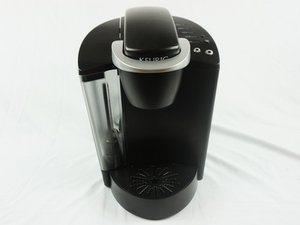
Credit: www.ifixit.com
Basic Troubleshooting Steps
When lights start blinking on your Keurig, basic troubleshooting steps can help fix the problem quickly. These steps are easy to follow and often solve common issues. Start with simple checks before thinking about repairs or replacements.
Resetting Your Keurig
Resetting the machine can clear errors causing blinking lights. Unplug the Keurig and wait for one minute. Plug it back in and turn it on. This simple reset often fixes minor glitches in the system.
Checking The Power Source
Ensure the Keurig is properly plugged into a working outlet. Try plugging another device into the same outlet to test power. Avoid using extension cords, as they can cause power problems. A stable power source is essential for smooth operation.
Cleaning The Machine
Dirt and residue can trigger blinking lights. Clean the water reservoir, drip tray, and needle regularly. Use a soft brush or paperclip to clear the needle holes. Descale the machine every three months to remove mineral buildup.
Ensuring Proper K-cup Placement
Incorrect K-Cup placement can cause blinking lights. Open the brew head and check the K-Cup position. Make sure the cup is centered and the lid closes fully. A secure fit allows the machine to brew without errors.
Advanced Fixes For Persistent Issues
Sometimes, simple fixes don’t stop the lights on your Keurig from blinking. These persistent issues need more detailed steps to solve. Advanced fixes help make sure your coffee maker works well again. They focus on cleaning, checking parts, and knowing when to get help.
These steps are easy to follow. They improve your machine’s performance and stop the blinking lights.
Descaling Your Keurig
Mineral build-up can cause blinking lights and poor brewing. Descaling removes these minerals inside your machine. Use a descaling solution or white vinegar for this process. Pour the solution into the water reservoir. Run the brew cycle without a K-cup until the reservoir is empty. Repeat with fresh water to rinse out the solution. Regular descaling keeps your Keurig working smoothly.
Inspecting And Replacing Parts
Check all parts of your Keurig for damage or wear. Look at the water reservoir, needle, and drip tray. Sometimes the needle gets clogged with coffee grounds. Use a paperclip or a needle cleaning tool to clear it. If parts are cracked or broken, replace them with official Keurig parts. Proper parts help your machine run without error lights.
When To Contact Customer Support
Some problems need expert help. Contact customer support if the lights keep blinking after all fixes. They can guide you through advanced troubleshooting. They also help with warranty claims and repairs. Don’t wait too long to get professional advice. It can save you time and frustration.

Credit: www.reddit.com
Preventive Tips To Avoid Blinking Lights
Blinking lights on a Keurig machine can be annoying and disrupt your coffee time. These signals often warn about issues that can stop the machine from working properly. Preventing these problems is easier than fixing them. Simple care steps can keep your Keurig running smoothly and avoid blinking lights.
Follow these tips to keep your machine in good shape. They help reduce errors and extend the life of your coffee maker.
Regular Maintenance Routine
Clean your Keurig regularly to prevent build-up inside. Use a soft cloth to wipe the outside and remove coffee grounds. Run a cleaning cycle with vinegar or a special descaling solution every few months. This removes mineral deposits that cause blinking lights. Check and replace the water filter as needed. Regular upkeep keeps all parts working well and stops error lights.
Using The Right Water Type
Use clean, fresh water for the best results. Tap water may contain minerals that build up inside the machine. Use filtered or bottled water to reduce scale and prevent blinking lights. Avoid hard water, as it causes more deposits. Clean water helps the machine brew better coffee and runs without issues.
Proper Storage And Handling
Store your Keurig in a dry place to avoid moisture damage. Avoid moving the machine roughly or dropping it. Handle the water reservoir gently to prevent cracks or leaks. Turn off the machine properly after use. Proper care prevents mechanical problems that can trigger blinking lights. Keep your Keurig safe to enjoy your coffee every day.

Credit: www.reddit.com
Frequently Asked Questions
Why Are The Lights Blinking On My Keurig Machine?
Blinking lights usually mean the machine needs attention. It could be low water, a stuck needle, or a cleaning alert.
How Can I Fix Blinking Lights On My Keurig?
Try checking the water reservoir, clean the needle, and reset the machine. These steps often stop the blinking lights.
What Does A Blinking Green Light On Keurig Mean?
A blinking green light often means the machine is heating up. Wait a few minutes for it to finish warming.
Can Blinking Lights On Keurig Indicate A Power Issue?
Yes, blinking lights can signal power problems. Ensure the machine is plugged in properly and try a different outlet.
Does Blinking Red Light Mean Keurig Needs Descaling?
Yes, a blinking red light may mean it’s time to descale. Regular descaling keeps your Keurig working well and stops blinking.
Conclusion
Blinking lights on your Keurig can signal simple issues. Check the water level and ensure the machine is clean. Unplug and restart it to reset the system. Regular maintenance helps avoid these blinking problems. Understanding what the lights mean saves time and frustration.
Keep your Keurig working smoothly with quick, easy fixes. Your coffee moments should be hassle-free and enjoyable.