
Is your Kidde smoke alarm blinking green, and you’re not sure what it means? You’re not alone.
When a safety device starts acting unexpectedly, it can be confusing and even a little worrying. But don’t panic. Understanding what that blinking green light is telling you is easier than you think. You’ll learn exactly why your Kidde smoke alarm is blinking green and what steps you need to take to keep your home safe.
Keep reading—you’ll feel more confident and in control in no time.
Credit: www.kidde.com
Kidde Smoke Alarm Basics
Kidde smoke alarms protect homes by detecting smoke early. They alert people quickly to prevent harm. Understanding how these alarms work helps keep your home safe.
These devices use sensors to spot smoke particles. Once detected, alarms sound loudly to warn occupants. Kidde alarms also have LED lights to show their status.
How Kidde Smoke Alarms Work
Kidde smoke alarms use two main sensor types: ionization and photoelectric. Ionization sensors detect fast, flaming fires. Photoelectric sensors spot slow, smoldering fires. Some models combine both sensors for better protection.
The alarm tests the air for smoke particles constantly. When smoke enters the sensor chamber, it triggers the alarm. The loud sound alerts people to leave quickly and safely.
Led Indicator Lights And Their Meanings
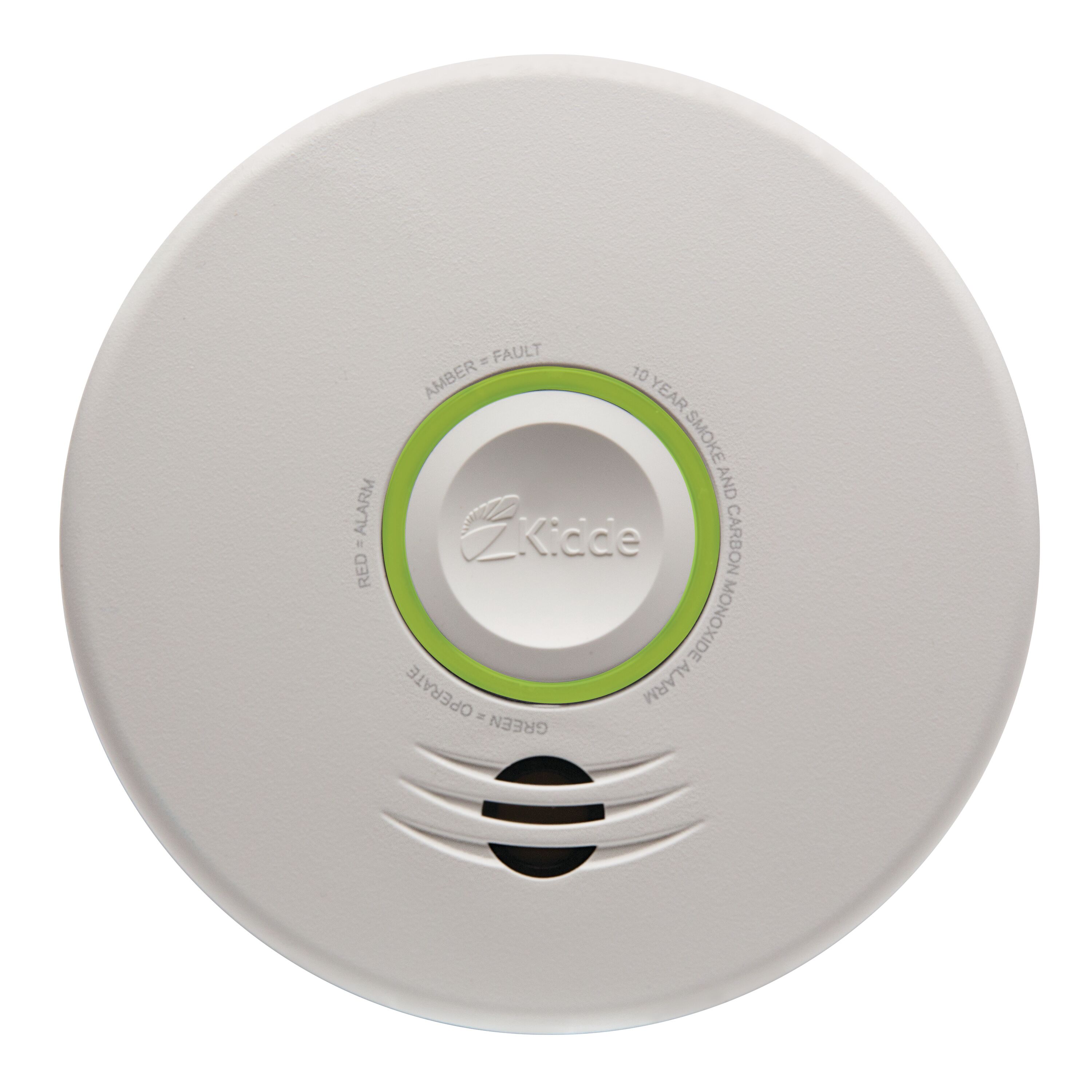
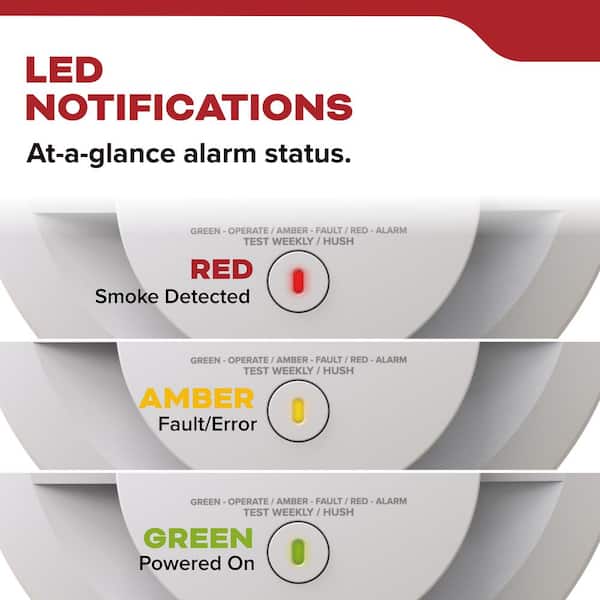
Kidde smoke alarms feature LED lights to communicate their status. A steady green light means power is on and the alarm is working. A blinking green light often shows the alarm is in normal operation mode.
Red lights usually indicate smoke detection or a warning. A blinking red light may signal a low battery or need for maintenance. Paying attention to these lights ensures your alarm stays effective.
Reasons For Blinking Green Light
The Kidde smoke alarm blinking green light means different things. It signals the alarm’s current status. Understanding these signals helps keep your home safe. The blinking green light can indicate normal function or a problem.
Knowing the reasons behind the blinking can save time. It guides you to take the right action. Here are the main reasons for a blinking green light.
Normal Operation Signal
A blinking green light often means the alarm works fine. It shows the alarm is powered and monitoring air. This light blinks regularly to confirm normal operation. No action is needed when it blinks steadily.
Low Battery Warning
The blinking green light may warn of a low battery. It means the battery needs replacement soon. The alarm might also beep with the blinking. Replacing the battery keeps the alarm reliable and ready.
Sensor Or Circuit Issues
Sometimes the green light blinks due to sensor trouble. Dust or dirt can block the sensor. Circuit problems inside the alarm may cause blinking. Cleaning or professional check-up can fix these issues.
Power Supply Problems
A blinking green light can signal power supply issues. Loose wiring or a bad connection may cause this. The alarm might not get steady power. Checking the power source helps restore normal blinking.
Troubleshooting Steps
The Kidde smoke alarm blinking green can cause concern. It signals that the alarm needs attention. Follow these simple troubleshooting steps. They help identify and fix common issues fast.
Checking The Battery
First, check the battery inside the smoke alarm. A low or dead battery often causes the green light to blink. Open the alarm’s cover carefully. Remove the battery and test it with a battery tester. Replace it with a new one if needed. Put the battery back and close the cover firmly.
Resetting The Alarm
Resetting the alarm can stop the blinking green light. Press and hold the test button on the alarm for 15 seconds. Listen for a beep sound. This action clears the alarm’s memory and resets it. Wait a few minutes to see if the green light stops blinking.
Cleaning The Smoke Detector
Dust and dirt can cause false signals. Use a soft brush or vacuum cleaner to clean the smoke detector gently. Remove dust from the vents and sensor area. Avoid using water or cleaning liquids. Regular cleaning keeps the alarm working properly and stops blinking lights.
Inspecting The Power Source
Check the power source if your alarm uses AC power. Make sure it is plugged in securely. Look for loose wires or damaged cords. If the alarm runs on a rechargeable battery, check if it charges properly. Fix or replace any faulty power parts to stop the blinking green light.
Credit: www.homedepot.com
When To Replace The Smoke Alarm
Knowing when to replace your Kidde smoke alarm is essential for home safety. Smoke alarms do not last forever. They become less reliable over time. Replacing them on time ensures your alarm can protect you well.
Smoke alarms have a limited lifespan. Signs of damage or malfunction mean it’s time for a new one. Paying attention to these signals can prevent safety risks.
End Of Lifespan Indicators
Most Kidde smoke alarms last about 10 years. After this, sensors may fail to detect smoke properly. A blinking green light that won’t stop is often a sign of aging. The alarm might also beep regularly without reason. Check the manufacture date on the back of the unit. If it is over 10 years old, replace the alarm immediately.
Persistent Malfunction Signs
Continuous blinking green light can mean a fault inside the alarm. The alarm might fail to reset or test correctly. Frequent false alarms or no alarms at all are warning signs. If battery replacement doesn’t fix the issue, the device may be faulty. These problems suggest that the smoke alarm needs replacement. Don’t delay replacing a malfunctioning alarm to keep your home safe.
Preventive Maintenance Tips
Maintaining your Kidde smoke alarm helps keep your home safe. Regular care prevents false alarms and extends the device’s life. Simple steps ensure the alarm works well and signals correctly.
Regular Testing
Test the smoke alarm once a month. Press the test button until the alarm sounds. This confirms the device is working properly. Replace the unit if it does not respond. Testing helps catch issues early.
Battery Replacement Schedule
Change batteries at least once a year. Use the type recommended by Kidde. Low batteries can cause the green light to blink. Always keep spare batteries on hand. Never ignore a low battery warning.
Proper Installation Practices
Install smoke alarms on every floor of your home. Place them near bedrooms but not too close to cooking areas. Avoid installing near windows or vents. Proper placement stops false alarms and ensures quick detection.

Credit: www.amazon.com
Frequently Asked Questions
What Does Kidde Smoke Alarm Blinking Green Mean?
A blinking green light on a Kidde smoke alarm shows it has power. It means the alarm is working and ready to detect smoke.
Why Is My Kidde Smoke Alarm Blinking Green And Beeping?
The blinking green light with beeping often signals low battery or a fault. Check the battery and replace it if needed to stop the beeping.
How Do I Stop The Kidde Smoke Alarm From Blinking Green?
To stop blinking, replace the battery or press the test button. If blinking continues, clean the alarm or reset it following the manual.
Can A Kidde Smoke Alarm Blink Green When Faulty?
Yes, blinking green can sometimes indicate a sensor or circuit problem. Test the alarm and replace it if it does not work correctly.
How Often Should I Check A Kidde Smoke Alarm Blinking Green?
Check your Kidde smoke alarm at least once a month. Regular tests ensure the blinking green light means the alarm is ready and working.
Conclusion
A blinking green light on your Kidde smoke alarm signals it is working properly. This small detail helps keep your home safe. Check the user manual to understand what the light means. Regularly test your alarm to ensure it functions well.
Replace batteries as needed to avoid false alerts. Stay alert and maintain your smoke alarm for peace of mind. Safety starts with simple steps like this. Keep your family protected every day.