
Fixing a broken TV screen can seem daunting. But it’s possible with the right steps.
A broken TV screen is a common problem many face. It can be frustrating, especially when the damage disrupts your viewing experience. But don’t worry. You don’t always need to buy a new TV or pay for costly repairs. Sometimes, you can fix the screen yourself.
Understanding the process can save you time and money. This guide will walk you through the basic steps to fix a broken TV screen. By following these steps, you can bring your TV back to life and enjoy your favorite shows again. Ready to get started? Let’s dive in.
Assessing The Damage
Assessing the damage to a broken TV screen is the first step in determining whether you can fix it yourself or need professional help. Understanding the type and extent of the damage will help you make an informed decision. Let’s break it down into manageable steps.
Types Of Screen Damage
TV screens can suffer from different types of damage. The most common types include:
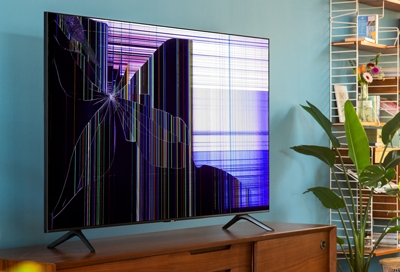
- Cracked Screen: Visible cracks or lines on the screen surface. These often result from physical impact.
- Dead Pixels: Tiny black or white spots on the screen that remain static, indicating malfunctioning pixels.
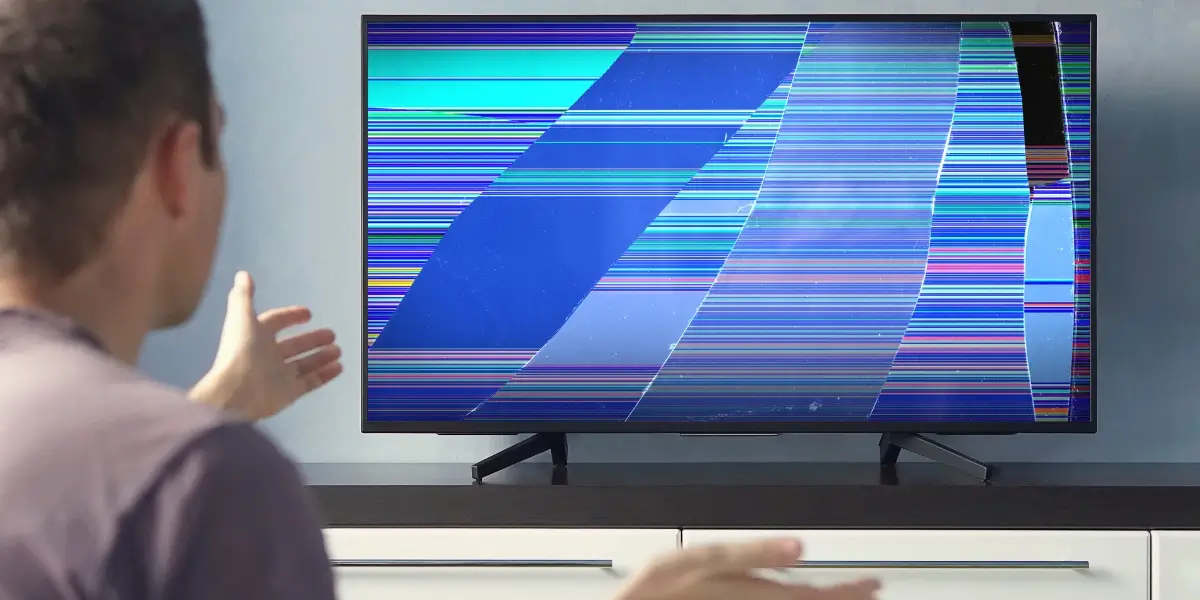
- Discoloration: Unusual colors or patches that can indicate internal damage or issues with the screen’s display panel.
- Screen Flickering: Intermittent flashing or unstable display, often caused by loose connections or faulty hardware.
Initial Inspection
Start by closely examining your TV screen. Look for any visible cracks or lines. These signs usually indicate physical damage that might require replacing the screen.
Next, check for dead pixels. Power on the TV and display a solid color background. This makes it easier to spot any tiny black or white spots that don’t change.
Notice any discoloration or unusual patches? This could point to internal issues. You might need to open the TV to inspect the internal components.
Observe if the screen flickers or shows unstable images. This could be a simple fix like tightening a loose connection or something more complex requiring a professional.
Have you encountered any of these issues before? Share your experience or questions in the comments below. Your insights might help others facing the same problems.
Gathering Necessary Tools
Gathering the right tools is crucial to fixing a broken TV screen. Basic tools include screwdrivers, a plastic pry tool, and a replacement screen. Ensure you have these before starting the repair process.
When your TV screen breaks, the first step to fixing it is gathering the necessary tools. Without the right tools, your repair can become a frustrating experience. Let’s dive into the essential tools and safety gear you’ll need before starting the repair.Essential Tools
Having the right tools is crucial for repairing a broken TV screen. You will need a Phillips-head screwdriver to remove screws from the TV casing. Precision screwdrivers are also helpful for smaller screws. A plastic pry tool can help you safely open the TV casing without damaging the plastic. Additionally, a screen replacement kit, compatible with your TV model, is essential. A microfiber cloth and isopropyl alcohol are handy for cleaning the screen and components. They ensure that no dust or fingerprints interfere with the repair.Safety Gear
Safety should be your priority when fixing a broken TV screen. Wear safety goggles to protect your eyes from any debris or shattered glass. Use an anti-static wrist strap to prevent electrostatic discharge that can damage the delicate electronic components. A pair of gloves will protect your hands from sharp edges and give you a better grip on tools and parts. Before you start, ensure you have a clean and organized workspace. This helps avoid losing small screws and components, making the repair process smoother. What do you think? Have you ever tried fixing electronics before? Having the right tools and safety gear can make all the difference in your repair journey.Preparing The Work Area
Fixing a broken TV screen can be a daunting task. Preparing the work area is crucial for a smooth repair process. It helps to avoid mistakes and ensures you have everything you need.
Clear Space
Clear the area around your TV. Remove any clutter or objects that might get in the way. A clean space helps you focus on the repair. Ensure the area is well-lit. Good lighting is essential for spotting any issues.
Organize Tools
Gather all the tools you will need for the repair. Place them in a neat and accessible manner. Common tools include screwdrivers, a soft cloth, and a new screen. Organizing your tools beforehand saves time. It also prevents frustration during the repair.
Credit: www.samsung.com
Removing The Damaged Screen
Carefully remove the broken screen to avoid further damage. Disconnect all cables and place the TV face down on a soft surface. Unscrew and lift the damaged screen gently.
When your TV screen is broken, it can feel like the end of the world. But don’t worry! Removing the damaged screen is a crucial step towards fixing your TV. It’s a task you can handle with some patience and the right tools. Let’s walk through the process together. ###Disconnecting Power
First things first, safety is paramount. Make sure your TV is unplugged from the power source. This step is non-negotiable. If your TV is still connected, you risk serious injury. Locate the power cord at the back of the TV. Gently unplug it from the wall socket. Now, double-check to ensure that there’s no power running to the TV. ###Detaching Screen
Once you’ve ensured the power is off, it’s time to detach the screen. Start by laying the TV face down on a soft, flat surface. This prevents further damage to the screen. Use a screwdriver to remove the screws holding the back panel. Keep these screws in a safe place—you’ll need them later. Carefully lift the back panel off. Inside, you’ll see various cables connected to the screen. Take photos of these connections if you need to. It’ll make reassembly easier. Disconnect the cables one by one. Be gentle to avoid damaging the connectors. Once all cables are disconnected, you can remove the screen. Removing a broken TV screen might seem daunting, but take it one step at a time. Have you ever tried fixing something similar? How did it go for you?Sourcing Replacement Parts
Fixing a broken TV screen often requires sourcing replacement parts. Ensure compatibility by matching model numbers and specifications. This will help you find the right parts for your TV.
Sourcing Replacement Parts When your TV screen breaks, finding the right replacement parts can feel like a daunting task. However, sourcing these parts is the first step to fixing your TV. Whether you’re tackling this project yourself or seeking professional help, knowing where to find the right screen and whether to shop online or locally is crucial.Finding The Right Screen
Not all TV screens are created equal. Each model has specific requirements for replacement screens. To ensure compatibility, you need to know your TV’s make and model number. These details are typically found on the back of your TV or in the user manual. Once you have this information, search for screens that match your TV’s specifications. This prevents you from wasting time and money on incompatible parts.Online Vs. Local Stores
You have two main options for sourcing replacement parts: online stores and local electronics shops. Online stores offer a vast selection of screens. Websites like eBay, Amazon, and specialized electronics retailers often have what you need. Online shopping also allows you to compare prices easily, ensuring you get the best deal. Local stores, on the other hand, provide the advantage of immediate availability. You can see the part in person and ensure it’s the correct one. Plus, local shops may offer expert advice, which is invaluable if you’re unsure about the specifics. Have you tried both options in the past? Which one worked better for you? In my experience, ordering from a reputable online store provided convenience and a broader selection. However, visiting a local store helped me get hands-on advice, which was crucial for my first repair job. Consider your priorities—whether it’s speed, variety, or expert guidance—and choose the sourcing method that best suits your needs.
Credit: www.youtube.com
Installing The New Screen
Installing a new screen can restore a broken TV to like-new condition. Carefully follow instructions to ensure proper setup. Ensure all connections are secure for optimal performance.
### Installing the New Screen Replacing a broken TV screen may seem daunting, but with a bit of patience and the right tools, you can do it yourself. This section will guide you through the crucial steps to install your new screen effectively. Let’s dive into the details of aligning and securing your new TV screen.Aligning The Screen
Before you start, ensure that the TV is turned off and unplugged. This is crucial for your safety. Carefully take the new screen out of its packaging. Hold it by the edges to avoid fingerprints and smudges. Place the screen on a clean, flat surface. Align the new screen with the TV’s frame. Make sure the edges are perfectly aligned to prevent any gaps. Use a soft cloth to gently press the screen into place. This ensures that it is snug and secure.Securing Connections
Once the screen is aligned, it’s time to secure the connections. Locate the ribbon cables and connectors. These are usually found at the back of the TV. Carefully connect the cables to the corresponding ports on the new screen. Ensure they are firmly in place to avoid any loose connections. Use a screwdriver to tighten any screws that hold the screen in position. Double-check all connections to make sure nothing is loose. Finally, plug the TV back in and turn it on. If everything is connected properly, your TV should display a clear picture. Have you ever tried fixing a broken TV screen before? What challenges did you face? Share your experiences in the comments below!Reassembling The Tv
Once the new screen is in place, it’s time to reassemble the TV. This step ensures everything is secure and ready for use. Follow each step carefully to avoid any mistakes.
Attaching The Frame
Start by aligning the frame with the TV. Make sure it fits snugly around the edges. Use the original screws to secure the frame. Tighten them evenly to prevent any gaps. Check all corners to ensure the frame is flush with the screen.
Double-checking Connections
Inspect all connections before closing the back panel. Ensure each cable is attached correctly. Check for any loose wires or connectors. Secure them if necessary. This step is crucial for the TV to function properly. Double-check each connection one more time to be sure.
Testing The Repair
After repairing your broken TV screen, it’s crucial to test the repair. This ensures the screen works properly. You don’t want to miss any underlying issues. Follow these steps carefully to confirm your repair is successful.
Powering On
First, plug in your TV and turn it on. Observe the screen as it powers up. Ensure there are no flickers or unusual noises. If the screen lights up evenly, this is a good sign. Check the power indicator light. It should remain steady without blinking.
Checking For Issues
Once the TV is on, examine the display closely. Look for any lines, dead pixels, or discolored spots. These can indicate remaining issues. Run some video clips to test the color and sound quality. Ensure the visuals are clear and the audio is synced.
Check the remote control functions. Ensure all buttons respond correctly. Navigate through menus and settings. Verify that the TV responds smoothly without lagging.
Credit: techycompany.com
Frequently Asked Questions
Can You Repair A Broken Tv Screen?
Repairing a broken TV screen is usually not feasible. It is often more cost-effective to replace the TV. Contact a professional for advice.
How Much Does It Cost To Replace A Screen On A Tv?
Replacing a TV screen costs between $100 and $400. The price depends on the TV size and brand.
Is There A Way To Fix A Cracked Screen Without Replacing It?
You can try using a screen repair kit or applying a screen protector to minimize the damage.
How Do You Fix A Broken Tv Screen With Lines?
Fix a broken TV screen with lines by checking cable connections. Restart the TV and perform a factory reset. If the issue persists, contact a professional for repair.
Can A Broken Tv Screen Be Fixed?
Yes, but it depends on the damage. Small cracks might be repaired; severe damage often requires screen replacement.
Conclusion
Fixing a broken TV screen can seem challenging. But with patience, it’s doable. Follow the steps mentioned to save costs. Always take safety precautions when handling electronics. If unsure, consult a professional. Your TV can work again with the right approach.
Enjoy watching your favorite shows soon!