
Is your LiftMaster garage door opener showing a blinking light, and you’re not sure what it means? That little flashing signal can feel confusing and frustrating, especially when you just want your garage door to work smoothly.
But don’t worry—understanding what your LiftMaster’s blinking light is trying to tell you is easier than you think. You’ll discover simple steps to decode the blinking light, troubleshoot common problems, and get your garage door back on track fast. Keep reading, and you’ll gain the confidence to fix the issue yourself without calling for help.

Credit: www.reddit.com
Common Causes Of Blinking Light
The blinking light on a LiftMaster garage door opener signals an issue. It helps diagnose problems quickly. Understanding common causes saves time and frustration. Many issues relate to power, sensors, remotes, or wiring. Each cause affects the blinking pattern and operation differently. Identifying the cause helps decide the right fix.
Power Supply Issues
The opener needs steady power to work well. A loose plug or faulty outlet can cause the light to blink. Power surges might also trigger warning signals. Check if the unit is properly plugged in. Inspect the circuit breaker and reset it if needed. Low voltage or power interruptions often cause blinking lights.
Sensor Alignment Problems
LiftMaster openers use safety sensors near the door’s base. These sensors must face each other correctly. Dirt, spider webs, or misalignment cause the light to blink. The door might not close if sensors are blocked. Clean the lenses gently and adjust the sensors. Proper sensor alignment stops the blinking and restores function.
Remote Control Malfunctions
Remote issues can cause blinking on the opener’s light. Weak or dead batteries reduce signal strength. The remote might lose programming after a power outage. Reprogramming the remote often solves the problem. Test the remote close to the opener for best results. A faulty remote sends weak commands causing blinking alerts.
Wiring And Connection Faults
Damaged or loose wires inside the opener cause blinking lights. Worn wires might short circuit or break connections. Check wires for visible damage or loose ends. Secure any loose connections carefully. Wiring faults disrupt signals between parts and trigger blinking. Proper wire maintenance ensures smooth garage door operation.
Basic Troubleshooting Steps
Garage door opener lights blinking can signal a problem. Basic troubleshooting helps find simple fixes fast. These steps guide you through common issues. Follow each step carefully for the best results.
Resetting The Garage Door Opener
Start by unplugging the opener from the power outlet. Wait about 30 seconds before plugging it back in. This resets the system and can clear minor errors. Watch the light after resetting. If blinking stops, the problem may be fixed.
Checking The Power Source
Ensure the opener is plugged into a working outlet. Test the outlet with another device like a lamp. Check for any loose wires or damage. A faulty power source causes blinking lights and opener issues.
Inspecting Safety Sensors
Locate the safety sensors near the bottom of the door tracks. Clean the sensor lenses gently with a soft cloth. Make sure sensors face each other directly. Check for objects blocking the sensors. Misaligned or dirty sensors trigger blinking lights.
Testing The Remote Control
Replace the remote control batteries with new ones. Stand close to the garage door and try operating it. If the door does not respond, the remote may need reprogramming. Confirm the remote buttons work properly and are not stuck.
Advanced Fixes For Persistent Issues
Some LiftMaster garage door blinking light problems need advanced fixes. Basic steps might not solve persistent issues. These advanced solutions help get your door working smoothly again.
Follow these steps carefully for safety and better results.
Realigning Safety Sensors
Safety sensors detect obstacles in the door’s path. If they are misaligned, the blinking light may stay on. Check if sensors face each other directly. Clean the lenses gently with a soft cloth. Adjust sensors until the light stops blinking. Proper alignment ensures the door closes safely.
Replacing Faulty Wiring
Old or damaged wiring can cause blinking lights. Inspect wires for breaks, frays, or loose connections. Replace any faulty wires with new ones. Use the correct wire type for your model. Secure connections tightly to prevent future issues. Good wiring improves the door’s electrical flow.
Updating Firmware
Firmware controls the garage door opener’s functions. Outdated firmware can cause blinking lights and errors. Visit the LiftMaster website for the latest updates. Follow instructions to install updates safely. Updated firmware can fix bugs and improve performance.
Consulting The User Manual
The user manual contains specific solutions for blinking lights. Check the troubleshooting section for error codes and fixes. Follow manufacturer advice for your model. Manuals provide important safety and repair tips. Keep your manual handy for quick reference.
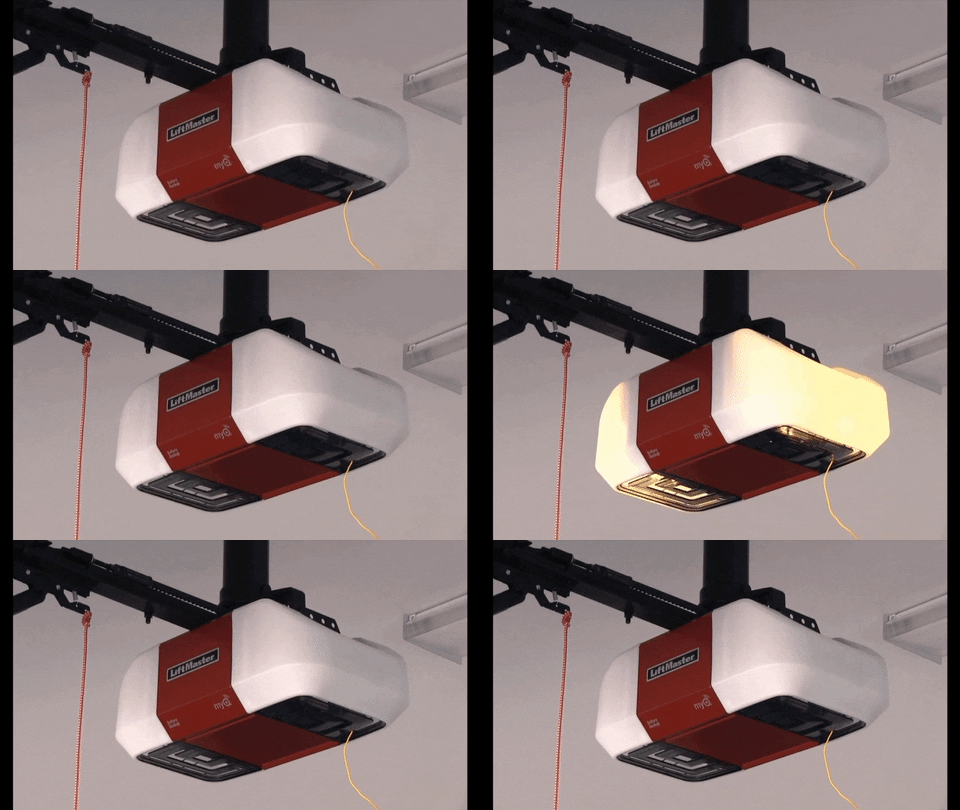
Credit: gdmedics.com
Preventive Maintenance Tips
Preventive maintenance helps keep your LiftMaster garage door opener working smoothly. Small steps can stop bigger problems. Regular care saves money and time. Follow these simple tips to avoid issues with the blinking light.
Regular Sensor Cleaning
Dirty sensors cause blinking lights and door problems. Wipe sensors gently with a soft cloth. Avoid using water or harsh cleaners. Clean sensors every few weeks to keep them clear. Clear sensors ensure the door opens and closes safely.
Routine System Checks
Check the garage door and opener regularly. Look for loose wires, broken parts, or unusual noises. Test the door’s auto-reverse feature. Make sure the blinking light matches the owner’s manual codes. Routine checks catch small issues early.
Battery Replacement Schedule
Remote controls and keypads use batteries. Weak batteries cause blinking or no response. Replace batteries every 6 to 12 months. Use fresh, high-quality batteries for best results. A working remote helps avoid frustration and keeps your system ready.
Professional Inspection Services
Hire a professional for a full system check once a year. Experts spot hidden problems you may miss. They clean, adjust, and repair parts safely. Professional service extends the life of your LiftMaster opener. Schedule inspections to keep your garage door reliable.
When To Call A Professional
The blinking light on your LiftMaster garage door opener signals a problem. Some issues you can fix yourself. Others need a professional’s help. Knowing when to call a pro keeps you safe and saves time.
Identifying Complex Electrical Problems
Some blinking light causes involve wiring or circuit board issues. These problems need special tools and knowledge. Attempting repairs without experience may cause more damage. Professionals can diagnose and fix these electrical faults correctly.
Safety Concerns
Garage door openers use electricity and moving parts. Incorrect handling may lead to shocks or injuries. Professionals follow safety standards to protect you. Calling a technician reduces risks during repairs.
Warranty And Service Options
Many LiftMaster openers come with warranties. DIY repairs can void these warranties. Professional service keeps your warranty valid. Technicians also offer guarantees on their work.
Finding Certified Technicians
Look for technicians certified by LiftMaster or other trusted bodies. Certified experts understand your opener’s model and issues. Choose local professionals with good reviews. They provide reliable and fast service.

Credit: www.youtube.com
Frequently Asked Questions
What Does A Blinking Light On Liftmaster Garage Door Mean?
A blinking light on a LiftMaster garage door signals an error or alert. It often points to a problem with safety sensors or wiring. Check your garage door manual for specific blink codes.
How To Fix Liftmaster Garage Door Blinking Light Issue?
Start by inspecting the safety sensors for alignment or dirt. Clean the sensors and ensure they face each other directly. Reset the garage door opener by unplugging it for 30 seconds and then plugging back in.
Why Does My Liftmaster Garage Door Light Keep Blinking?
The blinking light can indicate a sensor misalignment or wiring trouble. It may also mean the door’s travel limits need adjustment. Regular maintenance helps prevent these issues.
Can A Blinking Light Affect Garage Door Operation?
Yes, a blinking light usually means the door won’t operate properly. Safety sensors might block the door from closing. Fixing the blinking light issue restores normal operation.
When To Call A Technician For Blinking Liftmaster Light?
Call a technician if cleaning or resetting doesn’t stop the blinking. Complex wiring or motor issues need professional help. Early repair avoids bigger problems later.
Conclusion
A blinking light on your LiftMaster garage door signals a problem. Fixing it quickly keeps your door working safely. Check the manual or reset the system to start. Clean sensors and ensure the door path is clear. Small steps can stop big issues from growing.
Stay calm and follow simple tips to solve the problem. Your garage door will run smoothly again soon. Regular care helps avoid future blinking light troubles. Keep your home safe and your door ready every day.