
Are you frustrated because your Energizer battery charger is blinking red and you don’t know why? You’re not alone.
That little red light can be confusing, making you wonder if your charger or batteries are faulty. But don’t worry—understanding what the blinking red means can save you time and keep your devices powered up. You’ll discover simple reasons behind the blinking red light and easy steps you can take to fix it right now.
Keep reading to get your charger working smoothly again!
Why The Red Light Blinks
The blinking red light on your Energizer battery charger signals an issue. It serves as a warning to check the charger or batteries. Understanding why the red light blinks helps solve the problem fast. This section explains the common reasons behind the red light blinking.
Common Causes
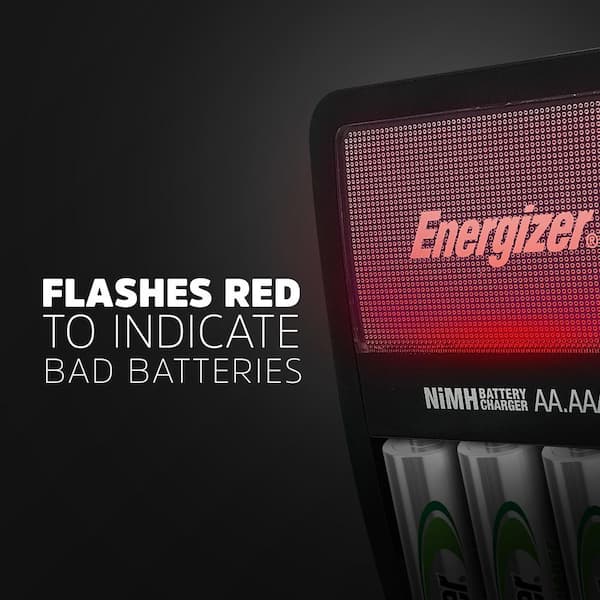
The red light often blinks due to poor battery contact. Dirt or dust on the battery or charger terminals can cause this. Another cause is using damaged or old batteries. They may not charge properly, triggering the red light. Overheating also makes the charger blink red. It stops charging to protect itself and the batteries.
Battery Compatibility Issues
Not all batteries work with every charger. Using batteries not made for your Energizer charger causes the red light to blink. Some batteries have different voltages or sizes. Chargers detect these differences and refuse to charge. Always check the battery type before charging. Using the right battery prevents compatibility problems.
Charger Malfunctions
Sometimes, the charger itself has a problem. Internal faults or broken parts can cause the red light to blink. A damaged power cord or adapter may also trigger the warning. If cleaning and checking batteries do not help, the charger may need repair. Using a faulty charger can harm your batteries or device.
Immediate Steps To Try
Seeing a blinking red light on your Energizer battery charger can be worrying. Act quickly to fix the issue. Try these simple steps first. They can often solve the problem without extra help.
Resetting The Charger
Unplug the charger from the wall outlet. Wait for about 30 seconds. Plug it back in and watch the light. This reset can clear small errors inside the charger. It often stops the blinking red light.
Checking Battery Placement
Remove the batteries from the charger. Check if each battery sits correctly. Make sure the positive and negative ends match the charger marks. Poor contact can cause the blinking red light. Replace any damaged batteries before charging again.
Inspecting Power Source
Check the outlet with another device. Ensure it provides power. Avoid using extension cords or power strips. Plug the charger directly into a wall socket. Faulty or weak power can cause the charger to blink red.
Battery Troubleshooting Tips
Battery issues can cause your Energizer charger to blink red. It signals a problem with the batteries or the charger itself. Simple steps can fix many common problems. Follow these battery troubleshooting tips to get your charger working again quickly.
Testing Battery Health
First, check if the batteries are good. Use a battery tester or multimeter to check voltage. Healthy batteries show voltage close to their rated value. Low voltage means the battery is weak or dead. Replace batteries that fail the test. Testing helps avoid charging bad batteries repeatedly.
Cleaning Battery Contacts
Dirt or corrosion on battery contacts can block power flow. Use a clean cloth or cotton swab to wipe contacts. For corrosion, gently rub with a pencil eraser or small brush. Clean both the battery ends and charger contacts. Clean contacts improve connection and fix blinking red light issues.
Replacing Old Batteries
Batteries lose capacity over time and stop charging properly. Old batteries may cause the charger to blink red. Replace batteries after about two years or sooner if they show poor performance. Using fresh batteries ensures better charging and longer device use. Always use the correct battery type for your charger.

Credit: www.reddit.com
Charger Maintenance
Proper maintenance keeps your Energizer battery charger working well. Regular care prevents common issues like blinking red lights. Small steps can improve charger life and performance. Follow these tips to maintain your charger effectively.
Cleaning Charger Contacts
Dirty contacts cause poor connection and charging errors. Use a soft cloth to wipe the contacts gently. Avoid liquids that might damage the charger. Clean contacts regularly to ensure smooth power flow.
Avoiding Overheating
Overheating harms the charger and reduces its lifespan. Place the charger on a flat, cool surface during use. Keep it away from direct sunlight and heat sources. Allow airflow around the charger to keep it cool.
Firmware Updates
Some chargers support firmware updates for better function. Check the Energizer website for update availability. Follow instructions carefully to install updates. Updated firmware can fix bugs and improve charging accuracy.
When To Replace The Charger
Knowing when to replace your Energizer battery charger is important. A blinking red light can mean several issues. Some problems you can fix, but others need a new charger. This section helps you understand the signs of permanent damage and your options for warranty and support.
Signs Of Permanent Damage
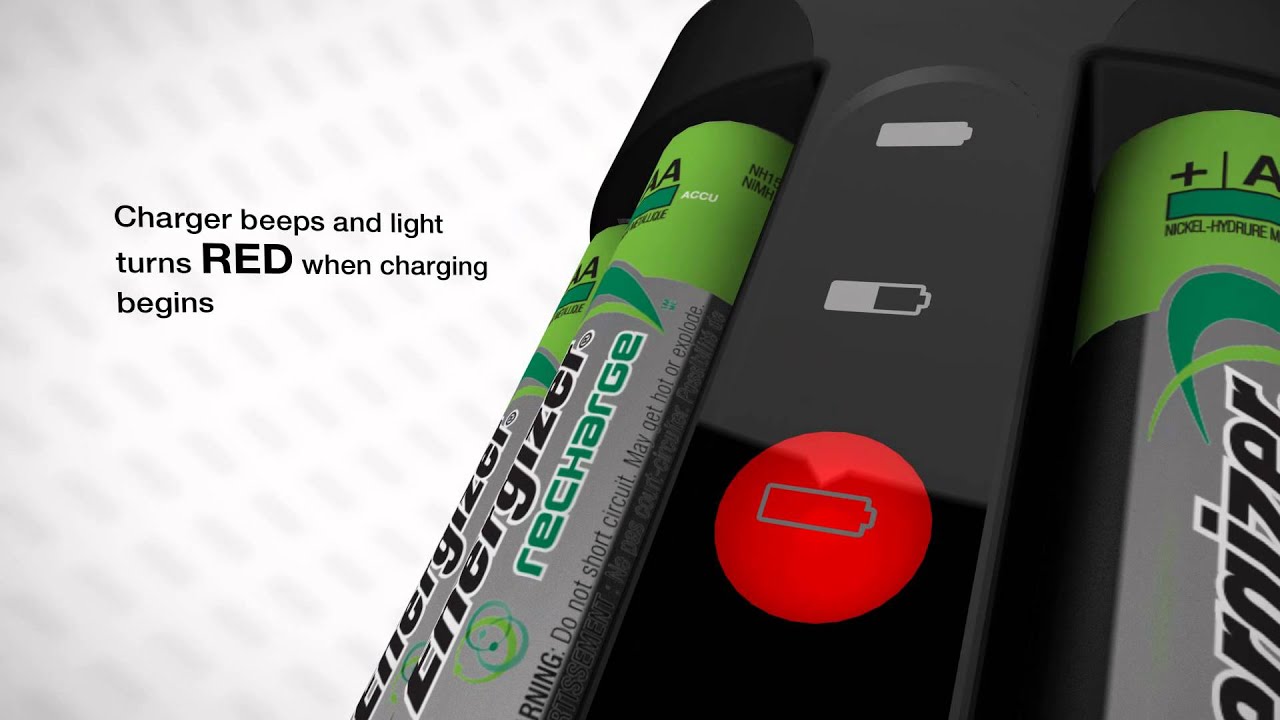
Watch for cracks or melted parts on the charger. These are clear signs it is unsafe to use. If the charger overheats during use, it might be damaged. A constant blinking red light that never stops can mean internal failure. The charger not responding or turning on is another sign. Using a damaged charger can harm your batteries or device.
Warranty And Support Options
Check if your charger is still under warranty. Most Energizer chargers come with a limited warranty period. Contact the manufacturer’s support team for help. They can guide you on repairs or replacements. Keep your purchase receipt to make the process easier. Some stores may offer exchange or refund options as well.
Credit: www.youtube.com
Preventing Future Issues
Preventing future issues with your Energizer battery charger helps extend its life. Proper care reduces blinking red light errors and keeps batteries healthy. Small changes in how you charge and store batteries make a big difference.
Proper Charging Practices
Use the charger only with compatible batteries. Avoid mixing different battery types or brands in one charge. Insert batteries correctly, matching the positive and negative ends. Charge in a cool, dry place to prevent overheating. Remove batteries promptly once fully charged to avoid damage. Clean the charger contacts regularly for better connection. Use the charger on a flat, stable surface to avoid interruptions.
Storing Batteries Safely
Store batteries in a cool, dry place away from sunlight. Keep them in their original packaging or a battery case. Avoid storing batteries near metal objects to prevent short circuits. Check batteries regularly for leaks or damage before use. Remove batteries from devices if not used for a long time. Keep batteries out of reach of children and pets for safety. Proper storage keeps batteries ready and reduces charger issues.
Credit: www.homedepot.com
Frequently Asked Questions
Why Is My Energizer Battery Charger Blinking Red?
A blinking red light means the charger detects a problem. It often signals a bad battery or poor connection. Check the battery and charger contacts for dirt or damage.
What Does A Blinking Red Light Indicate On Energizer Chargers?
It shows a charging error or safety issue. The charger may stop charging to protect the battery. Make sure the battery fits properly and is not damaged.
How Can I Fix A Blinking Red Light On Energizer Charger?
Try removing and reinserting the battery. Clean the charging contacts carefully. If the problem stays, the battery or charger might be faulty.
Can A Blinking Red Light Mean The Battery Is Dead?
Yes, it can mean the battery is too weak or old. The charger may refuse to charge a dead battery. Test with a different battery to confirm.
Is It Safe To Use The Charger If The Red Light Blinks?
No, blinking red means a fault or safety risk. Stop using it until the issue is fixed. Using it can damage the battery or charger.
Conclusion
A blinking red light on your Energizer battery charger signals a problem. Check the batteries and charger connections carefully. Clean any dirt or corrosion from the contacts. Try using different batteries to rule out battery issues. Make sure the charger sits on a flat, stable surface.
If the light keeps blinking, the charger may need repair or replacement. Taking these steps helps keep your batteries ready to use. Stay patient and follow simple fixes to avoid frustration. Your batteries deserve proper care and charging.