
Are you frustrated by the white light blinking on your Dyson Airwrap? You’re not alone.
This small signal can cause big worries, making you wonder if your expensive styling tool is broken or needs a fix. But don’t panic just yet. Understanding why the white light blinks and what you can do about it will save you time, money, and stress.
Keep reading to discover simple solutions that get your Airwrap back to perfect styling in no time.

Credit: www.youtube.com
Why The White Light Blinks
The Dyson Airwrap is a popular styling tool known for its smart features. One sign users notice is the white light blinking. This blinking light is a signal. It tells you that the device needs your attention. Understanding why the white light blinks helps keep your Airwrap working well.
Common Causes
The white light blinks for several common reasons. Sometimes, the filter is dirty. Dust and hair can block airflow. This makes the Airwrap blink to warn you. Another cause is an incorrect attachment. The Airwrap checks if parts are fitted properly. If not, the white light blinks to alert you. Power supply issues can also cause blinking. Loose or damaged cables may interrupt power.
Safety Features Triggered
The Dyson Airwrap has built-in safety features. These protect the device and the user. If the tool detects a problem, the white light blinks. For example, if the motor faces resistance, it stops and blinks white. The Airwrap also monitors airflow and temperature. If any safety limit is crossed, blinking starts. This helps avoid damage or injury.
Device Overheating Signs
Overheating is a common reason for the white light blinking. The Airwrap uses sensors to track heat. If the device gets too hot, the light blinks white. This warning means the tool needs to cool down. Continuing to use it while hot can harm the motor. Turning off the Airwrap and letting it rest fixes this issue.
Basic Troubleshooting Steps
When the Dyson Airwrap’s white light blinks, it signals a minor issue. Basic troubleshooting helps fix the problem quickly. These simple steps save time and avoid unnecessary repairs.
Start with easy checks before trying more complex solutions. Understanding these basics improves your device’s performance and lifespan.
Check Power Connection
Ensure the Airwrap is plugged securely into a working outlet. A loose connection can cause the white light to blink. Try a different power socket to rule out outlet problems. Avoid using extension cords or power strips that may reduce power flow.
Clean Airflow Vents
Blocked vents affect the device’s airflow and cause blinking lights. Use a soft brush or cloth to clear dust and hair from the vents. Do not use water or cleaning liquids. Clean vents keep the Airwrap cool and working properly.
Reset The Device
Sometimes, a reset fixes internal errors causing the blinking light. Turn off and unplug the Airwrap. Wait 30 seconds before plugging it back in and turning it on. This simple reset refreshes the system and often stops the blinking.
Advanced Fixes For Persistent Issues
Advanced fixes help solve stubborn problems with the Dyson Airwrap’s blinking light. These steps go beyond basic checks. They target hidden issues that stop the device from working well.
Try these methods carefully. They often fix the blinking light and keep your Airwrap running smoothly.
Inspect The Filter
The filter catches dust and hair. Over time, it can get blocked. This stops airflow and causes the light to blink. Remove the filter cover. Check for dirt or buildup. Clean the filter gently with a soft brush or rinse it under water. Let it dry fully before putting it back. A clean filter helps the Airwrap work better.
Examine The Attachments
Attachments must fit correctly. Loose or dirty parts can cause errors. Remove each attachment one by one. Look for damage or dirt on the connection points. Clean the contacts with a dry cloth. Reattach the parts firmly. This ensures good contact and stops blinking issues.
Update Firmware If Applicable
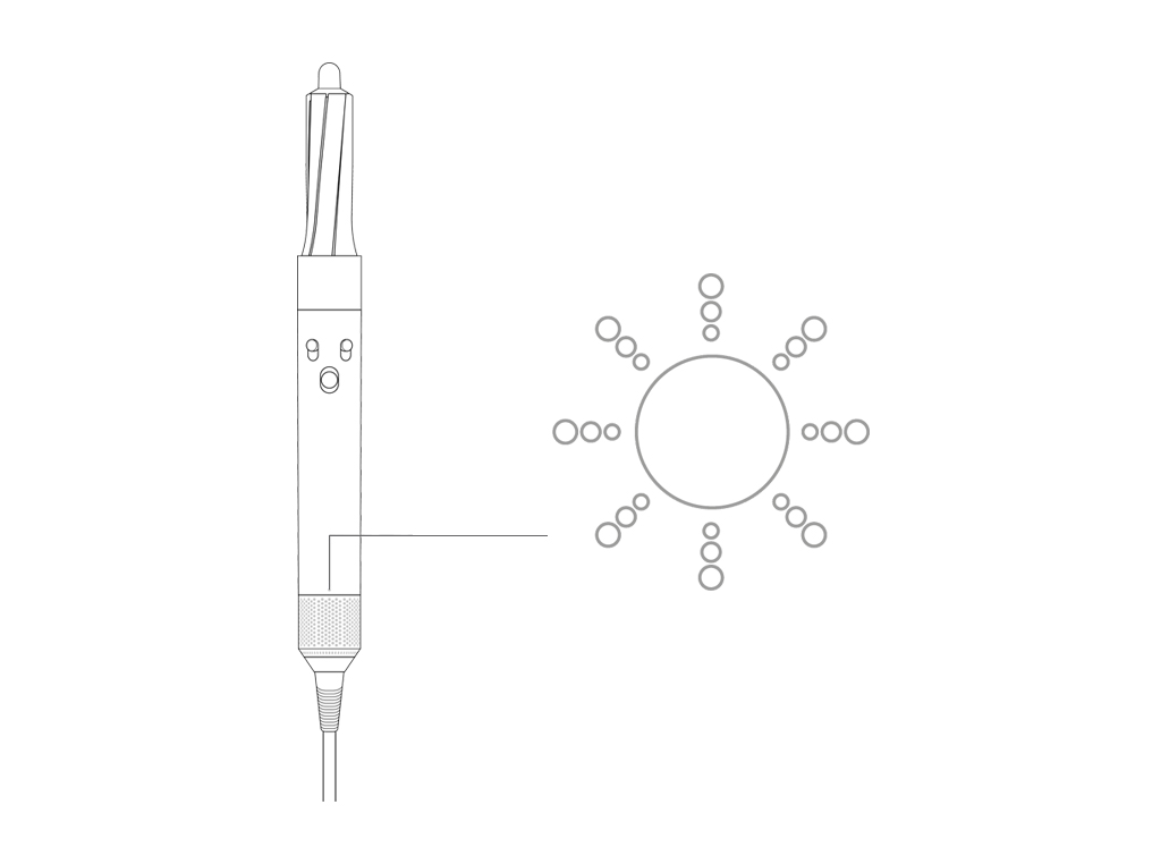
Some Airwrap models have firmware. Firmware controls how the device works. Outdated software can cause problems. Check Dyson’s website or app for updates. Follow instructions to update your device. This can fix bugs and improve performance. Keep your firmware current to avoid blinking lights.
Credit: support.sa.dyson.com
Preventing Future White Light Blinking
Preventing the Dyson Airwrap’s white light blinking helps keep your device working well. The white light blinking often signals a problem. Taking steps to avoid this issue saves time and frustration. Regular care and mindful use extend your Airwrap’s life. Simple habits make a big difference.
Regular Maintenance Tips
Clean the Airwrap’s filter regularly. Dust and hair can block airflow. Use a soft brush to remove debris gently. Check the attachments for dirt and buildup. Wipe them with a damp cloth after use. Avoid using harsh chemicals on the device. Keep the Airwrap dry to prevent damage. Regular cleaning helps prevent overheating and blinking lights.
Proper Usage Guidelines
Do not use the Airwrap on wet hair. Hair should be towel-dried before styling. Avoid running the device continuously for long periods. Give it breaks to cool down. Use only Dyson-approved attachments. Using the wrong parts can cause errors. Follow the instructions in the user manual carefully. Correct use reduces the chance of white light blinking.
Storage Recommendations
Store the Airwrap in a cool, dry place. Avoid leaving it in direct sunlight. Keep it away from dust and moisture. Use the original storage case if available. Do not wrap the cord tightly around the device. This can damage the power cable. Proper storage protects the Airwrap from damage. Good habits help prevent future blinking issues.
When To Contact Dyson Support
The Dyson Airwrap’s white light blinking can signal a problem. Knowing when to contact Dyson support saves time and stress. Some issues need expert help to fix properly. This section explains when to reach out to Dyson support for help.
Warranty And Repair Options
Check your Dyson Airwrap warranty before seeking repairs. Dyson offers coverage for defects and malfunctions. Repairs under warranty might be free or low cost. Out-of-warranty repairs are also available but may cost more. Always review warranty terms to know your options.
Authorized Service Centers
Use only Dyson authorized service centers for repairs. These centers have trained technicians and original parts. Repairs done elsewhere may void your warranty. Find an authorized service center near you on Dyson’s website. Proper service ensures your Airwrap works safely and well.
Customer Service Contacts
Dyson customer service can answer questions about your Airwrap. Call or email them for help with troubleshooting or warranty claims. Keep your purchase receipt ready when contacting support. Customer service can guide you through repair or replacement steps.

Credit: www.reddit.com
Frequently Asked Questions
Why Is My Dyson Airwrap White Light Blinking?
A blinking white light means the device is overheating or blocked. Turn it off, unplug, and check for hair or debris.
How Do I Fix A Blinking White Light On Dyson Airwrap?
Clean the filter and remove blockages from air vents. Let the device cool down before using it again.
Does Blinking White Light Mean Dyson Airwrap Needs Repair?
Not always. It usually signals overheating or blockage, which you can fix by cleaning. Contact support if blinking continues.
Can A Dirty Filter Cause Dyson Airwrap White Light Blinking?
Yes, a dirty filter can block airflow and cause overheating. Clean the filter regularly to avoid this issue.
How Long Should I Wait Before Reusing Dyson Airwrap After Blinking?
Wait at least 30 minutes to let the device cool down fully. Using it too soon may cause blinking again.
Conclusion
The white light blinking on your Dyson Airwrap signals an issue. Check for blockages or overheating to solve the problem. Cleaning the filter often helps restore normal function. Make sure the device cools down before using it again. Regular care keeps your Airwrap working well longer.
Understanding these simple steps saves time and frustration. Keep your styling tool in top shape with easy maintenance. Your hair routine will stay smooth and hassle-free.