
If you’ve noticed a blinking green light on your First Alert 9120B, you might be wondering what it means and if you need to take action. That little blinking light isn’t just a random signal—it’s trying to tell you something important about your safety.
Understanding what the blinking green light indicates can help you avoid potential risks and keep your home secure. Keep reading to find out exactly what the blinking green light means and what steps you should take next. Your peace of mind is just a few minutes away.

Credit: www.reddit.com
What The Blinking Green Light Means
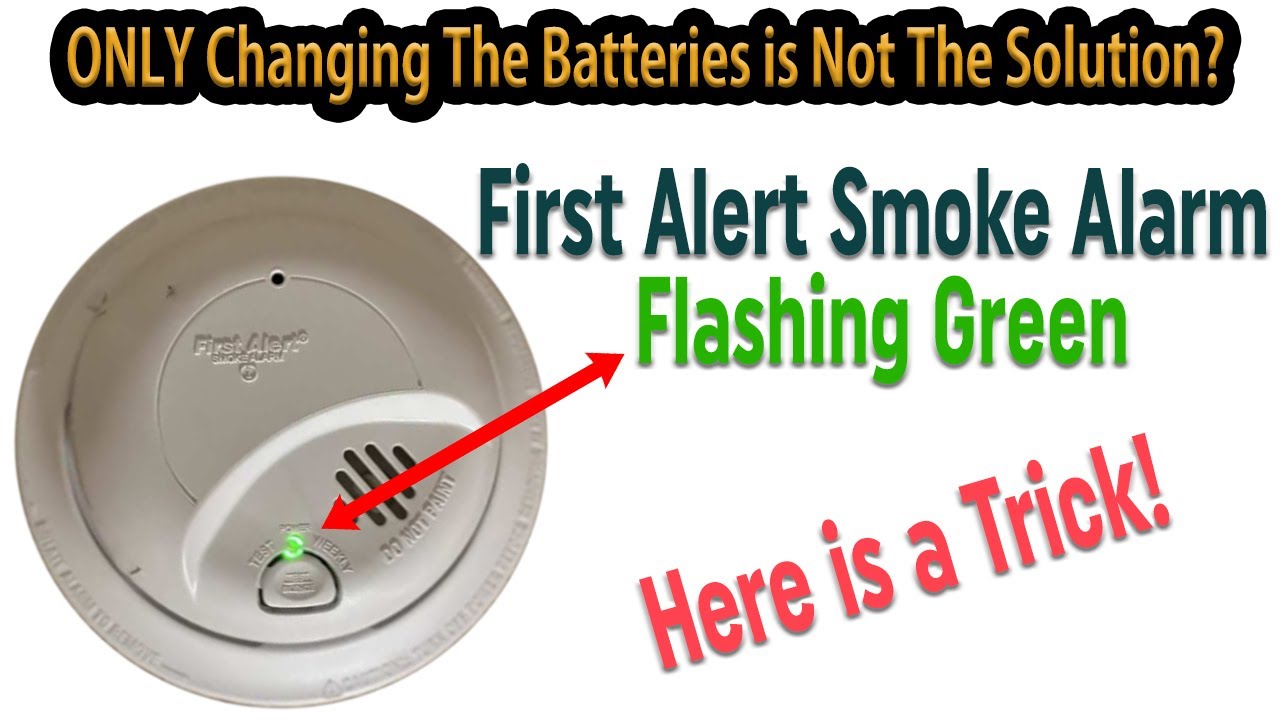
The First Alert 9120B smoke detector uses light signals to communicate its status. A blinking green light is one of these signals. Understanding this blinking green light helps you know your device’s condition quickly. It shows the smoke detector is working and ready to protect your home.
Each blink has a purpose. It is not random or a sign of trouble. Knowing what the blinking green light means keeps you informed and safe.
Normal Operation Indication
A blinking green light usually means the smoke detector is operating normally. It shows the device is powered and running its self-checks. This blinking is a good sign that your alarm is active and protecting your space.
Without this blinking, the device might not be working correctly. The green light confirms everything is fine inside the unit.
Battery Status Check
The blinking green light can also indicate the battery status. In some models, it blinks when the battery is fully charged. A steady blink means the power source is healthy and stable. This signal helps you trust the alarm will sound if smoke appears.
Low battery usually triggers a different light or sound. So, green blinking means no immediate battery worries.
Communication Between Units
For interconnected alarms, the green light may show communication between units. It blinks as the devices exchange signals to stay synced. This keeps your entire home’s alarm system working as one.
This feature ensures all alarms alert at the same time during an emergency. The blinking green light confirms this connection is active.
Credit: www.youtube.com
Common Causes Of The Blinking Green Light
The First Alert 9120B blinking green light signals various issues. Understanding the common causes helps you fix the problem quickly. The blinking can point to power, sensor, or battery problems. Identifying the cause saves time and keeps your home safe.
Power Issues
Power problems often cause the blinking green light. The alarm might not get enough electricity. Check if the unit is plugged in correctly. A loose connection or power surge can trigger blinking. Make sure the outlet works by testing another device.
Sensor Problems
The alarm has sensors that detect smoke or fire. Dirt or dust on sensors can cause errors. Clean the sensors gently with a soft cloth. Faulty sensors might also cause blinking. If cleaning does not help, consider sensor replacement.
Battery Concerns
Battery trouble is a common reason for blinking lights. Low or dead batteries cause the alarm to blink green. Replace batteries with fresh ones regularly. Use the correct battery type recommended by the manufacturer. Always test the alarm after changing batteries.
Step-by-step Fixes
The First Alert 9120B blinking green light can be confusing. This guide helps you fix the issue step-by-step. Follow each step carefully to solve the problem quickly. These simple fixes often restore your device’s normal function.
Check Power Connection
First, check the power source. Make sure the device is plugged in securely. Look for any loose or damaged wires. Try a different outlet if needed. A steady power supply stops the green light from blinking.
Reset The Device
Next, try resetting the device. Unplug it from the power source. Wait 30 seconds. Then plug it back in. This resets the system and may clear any errors causing the blinking light.
Replace The Batteries
The blinking green light might mean low batteries. Open the battery compartment. Remove old batteries carefully. Insert new, fresh batteries in the right direction. Close the compartment tightly. This ensures the device has enough power.
Clean The Sensors
Dirt or dust can cause sensor problems. Use a soft cloth or brush to clean the sensors gently. Avoid harsh chemicals or water. Keeping sensors clean helps the device work properly and stops the blinking green light.
When To Contact Support
The First Alert 9120B blinking green light can mean several things. Sometimes, it signals normal operation. Other times, it points to a problem that needs help. Knowing when to contact support saves time and avoids risk.
Contact support if the blinking green light does not stop after a reset. This could mean a serious issue with the smoke alarm. Expert advice helps keep your home safe.
Green Light Blinks Continuously Without Pause
If the green light blinks nonstop and does not pause, call support. This may indicate a fault inside the unit. Troubleshooting steps might not fix this problem.
Alarm Emits Strange Sounds Alongside Green Light
Strange noises with the blinking green light require professional help. Sounds like chirping or beeping often mean a sensor or wiring issue. Support can guide you on the next steps.
Light Blinks After Battery Replacement
When the green light keeps blinking after changing batteries, contact support. This can signal a battery connection problem or internal error. Support staff can check if the device needs repair or replacement.
Device Shows Multiple Lights Or Error Codes
If the unit displays more than the green light or error codes, seek help. These signs usually show a complex issue inside the alarm. Support can explain the codes and suggest fixes.
Preventing Future Blinking Light Issues
Preventing future blinking light issues on your First Alert 9120B keeps your home safe and stress-free. Taking simple steps helps avoid confusion and ensures the alarm works properly. Regular care and correct setup reduce false alerts and blinking signals. This saves time and keeps your device ready to protect.
Regular Maintenance Tips
Check the alarm monthly to catch problems early. Clean the unit with a soft cloth to remove dust. Dust can block sensors and cause blinking lights. Replace batteries yearly or when the low battery light shows. Test the alarm every month using the test button. Keep the device away from steam and smoke to avoid false signals.
Proper Installation Guidelines
Install the alarm on the ceiling or high on a wall. Avoid corners and places near windows or vents. These spots can cause false blinking or alarms. Follow the manufacturer’s instructions for mounting height and location. Use the right screws and anchors to secure the unit firmly. Ensure the device is not too close to kitchen appliances or bathrooms.

Credit: forums.thefirepanel.com
Frequently Asked Questions
What Does The Blinking Green Light On First Alert 9120b Mean?
The blinking green light shows the alarm is powered and working. It flashes slowly to confirm normal operation. Fast blinking may signal a problem.
How Do I Stop The Green Light From Blinking On 9120b?
You can’t fully stop the blinking green light. It shows the unit is active. But you can check if the alarm is working fine.
Is A Blinking Green Light On First Alert 9120b A Problem?
Usually, a slow blinking green light is normal. It means the alarm is on and ready. Fast blinking or no light could mean an issue.
Can Low Batteries Cause The 9120b Green Light To Blink?
Yes, low batteries might change the blinking pattern. The green light might blink faster or irregularly. Replace batteries if blinking seems unusual.
Should I Reset My First Alert 9120b For Blinking Green Light?
Resetting can help if the blinking is not normal. Turn off the unit, wait, and turn it back on. Check if the blinking returns to normal.
Conclusion
The First Alert 9120B blinking green light signals a normal working state. It shows the device is powered and ready to detect smoke. If the light blinks differently, it may need attention. Regular checks help keep your home safe. Understanding these signals can prevent confusion or false alarms.
Stay calm and follow simple steps if the light changes. Your safety depends on knowing what your alarm tells you. Keep your device clean and tested often for best results.