
Is your Pentair pool heater display not working? It can be frustrating when you’re ready to enjoy your pool, but the screen won’t respond or shows error messages.
You might feel stuck, unsure of what to do next. But don’t worry—this problem is more common than you think, and there are simple steps you can take to fix it. Keep reading, and you’ll discover easy solutions to get your heater display back on track so you can enjoy warm, relaxing swims without delay.
Common Display Issues
Many Pentair pool heater users face display problems. These issues can stop you from controlling the heater. Understanding common display problems helps fix them faster. Here are some frequent display issues and what they mean for your pool heater.
No Power On Display
The display stays dark with no lights or numbers. This usually means no power is reaching the panel. Check the circuit breaker to see if it has tripped. Make sure the power cord is plugged in firmly. Sometimes, loose wires inside the heater cause this problem. A blown fuse can also stop the display from turning on.
Flickering Or Dim Screen
The screen may blink or look very faint. This can happen if the power supply is unstable. Bad wiring or a weak electrical connection often causes flickering. Dust and moisture inside the display can also dim the screen. Cleaning the display and checking connections can improve the brightness.
Error Codes Showing
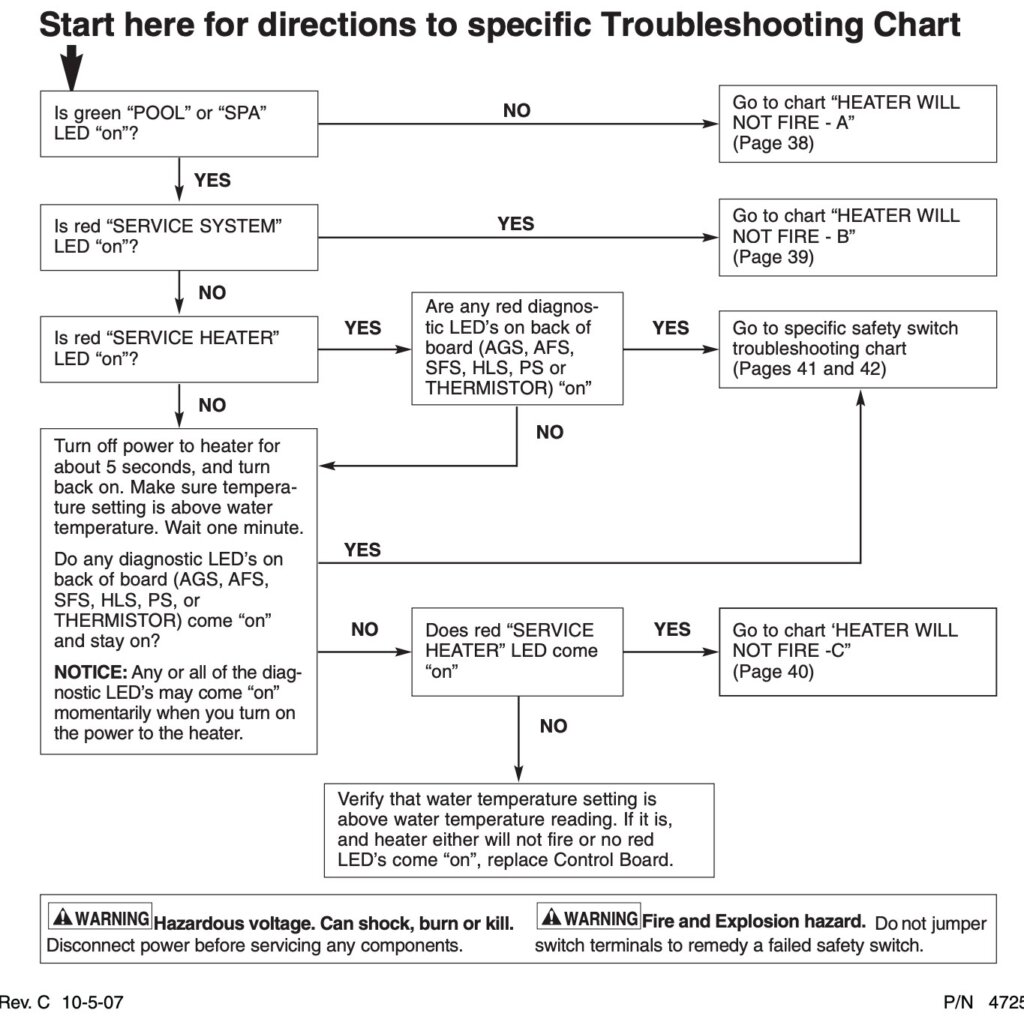
The display may show numbers or letters as error codes. These codes tell you what is wrong with the heater. Each code has a specific meaning in the Pentair manual. Common errors include sensor faults or overheating warnings. Understanding these codes helps you decide if professional help is needed.
Credit: intheswim.com
Basic Troubleshooting Steps
When the Pentair pool heater display stops working, start with basic troubleshooting steps. These steps help find simple problems that you can fix quickly. Checking power, resetting the heater, and inspecting wiring are good places to begin. Follow these steps carefully to avoid more damage and get your heater back to normal.
Check Power Supply
First, ensure the heater is plugged in properly. Look at the power outlet and make sure it works. Try another device in the same outlet to test power. Check the circuit breaker or fuse box for any tripped switches or blown fuses. No power means the display will stay off. Fix any power issues before moving on.
Reset The Heater
Resetting the heater can clear minor errors. Turn off the heater using the power switch or unplug it. Wait about five minutes to let it cool down. Turn it back on and watch the display. Sometimes, a simple reset makes the display work again. If not, continue with the next step.
Inspect Wiring Connections
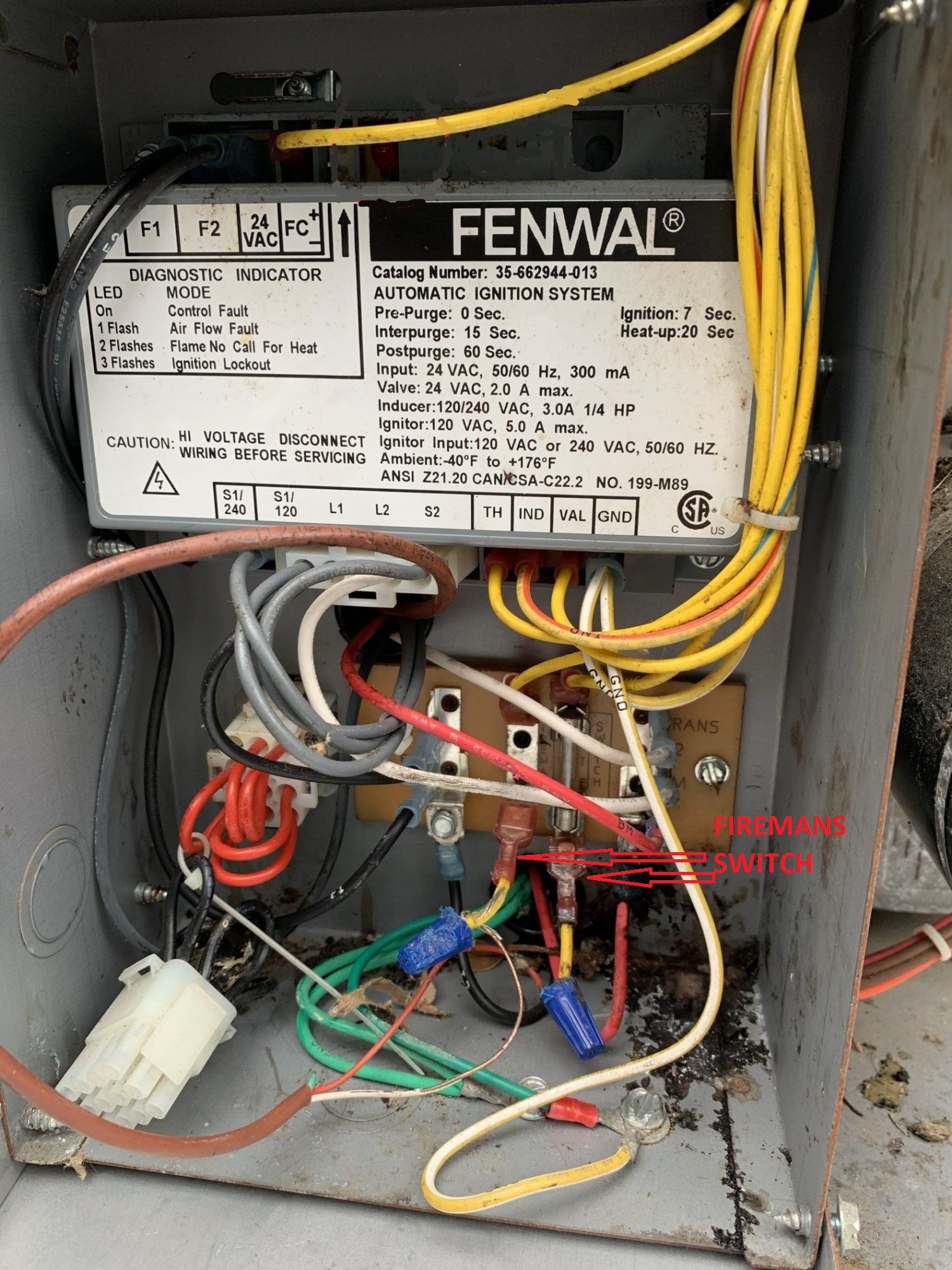
Loose or damaged wires cause display problems. Unplug the heater before checking wires. Look at all connections near the display and control board. Tighten any loose wires and replace damaged ones. Be gentle to avoid breaking wires or connectors. Proper wiring ensures the display receives power and signals.
Fixing Display Problems
Fixing display problems on your Pentair pool heater is often simple. The display might stop working due to dirt, hardware faults, or outdated software. This section guides you through easy steps to bring your display back to life. Follow these tips to save time and avoid costly repairs.
Clean The Display Screen
Dirt and dust can block the screen’s view. Use a soft cloth with a small amount of water. Gently wipe the screen to remove grime. Avoid using strong chemicals or abrasive materials. Cleaning often restores visibility and proper function.
Replace Faulty Circuit Board
The circuit board controls the display. Over time, it can fail due to wear or electrical issues. Check for signs of damage or burning smell. Replacing the board requires basic tools and careful handling. This step often fixes display failures that cleaning cannot.
Update Firmware
Firmware controls how the heater and display work. Outdated software can cause glitches. Visit the Pentair website to download the latest firmware. Follow the instructions to update your heater. This can solve bugs and improve display performance.
Credit: www.troublefreepool.com
When To Call A Technician
Knowing when to call a technician for your Pentair pool heater display is important. Some problems need expert help to avoid damage or injury. Simple issues might be fixed at home, but others require a professional.
Watch for signs that the display still does not work after basic checks. Electrical problems can be tricky and dangerous. Safety is a top priority with any pool heater issue.
Persistent Display Failures
If the display keeps failing after restarting or resetting, call a technician. Continuous problems might mean internal damage. A professional can diagnose and fix the root cause quickly.
Complex Electrical Issues
Electrical faults need expert attention. Faulty wiring or damaged circuits can harm the heater or cause electric shock. Technicians have the tools and knowledge to handle these safely.
Safety Precautions
Do not open or repair the heater’s electrical parts yourself. Always unplug the unit before inspection. Calling a technician ensures repairs follow safety standards and protect your family.
Preventive Maintenance Tips
Preventive maintenance helps keep your Pentair pool heater display working well. Small efforts now save big problems later. Regular care stops faults before they start. Follow these simple tips to protect your heater display and enjoy a worry-free pool season.
Regular Cleaning
Keep the display clean from dust and dirt. Use a soft cloth to wipe gently. Avoid harsh chemicals that can damage the screen. Clean the area around the display to stop dirt buildup. A clean display shows clear information and lasts longer.
Scheduled Inspections
Check the display regularly for signs of wear or damage. Look for cracks, fading, or unusual flickers. Inspect wiring connections to ensure they are tight and dry. Set a routine, like monthly checks, to catch issues early. Early fixes prevent costly repairs later.
Protecting From Moisture
Moisture can harm the electronic parts inside the display. Keep the heater cover closed when not in use. Use waterproof covers during heavy rain or storms. Ensure good ventilation to reduce humidity buildup. Dry the area if water spills near the display.

Credit: github.com
Frequently Asked Questions
Why Is My Pentair Pool Heater Display Not Turning On?
Check power connections and circuit breakers for any tripped switches or loose wires.
How To Reset A Pentair Pool Heater Display?
Turn off the heater, wait a few minutes, then turn it back on to reset.
Can A Blown Fuse Cause Display Failure?
Yes, a blown fuse can stop the display from working. Replace it carefully.
What Causes Pentair Heater Display To Freeze?
A software glitch or power surge often causes the display to freeze or become unresponsive.
How To Fix A Dim Or Flickering Display?
Clean the display screen and check for loose wiring or low voltage supply.
Does Water Damage Affect The Heater Display?
Water inside the control panel can short the display and cause malfunction.
Can A Faulty Thermostat Cause Display Issues?
Yes, a bad thermostat may send wrong signals, affecting the display operation.
When Should I Call A Professional For Display Problems?
If basic checks fail, and the display still won’t work, contact a technician.
Are There Replacement Parts For Pentair Heater Displays?
Yes, Pentair offers replacement display units compatible with most heater models.
How To Prevent Pentair Pool Heater Display Issues?
Regular maintenance and avoiding moisture exposure help keep the display working well.
Conclusion
A Pentair pool heater display not working can cause frustration. Simple steps often fix the problem quickly. Check power supply and connections first. Resetting the heater may restore the display. Clean the display screen gently to improve visibility. If problems continue, calling a professional is wise.
Regular maintenance helps avoid future issues. Keep your pool warm and ready to enjoy. Small efforts save time and money in the long run. Don’t let a faulty display ruin your swim time.