
Mitutoyo calipers are top-notch tools for precise measurements. But what does it mean when they start blinking?
Understanding why your Mitutoyo caliper blinks can help you address potential issues quickly. These calipers are known for their accuracy and durability, but a blinking display can be confusing. It could indicate a low battery, an error, or another issue.
Knowing what to do can save you time and ensure your measurements remain accurate. In this post, we’ll explore the common reasons for a blinking display and guide you on how to fix it. Stay with us as we delve into the details, ensuring your caliper works perfectly every time.
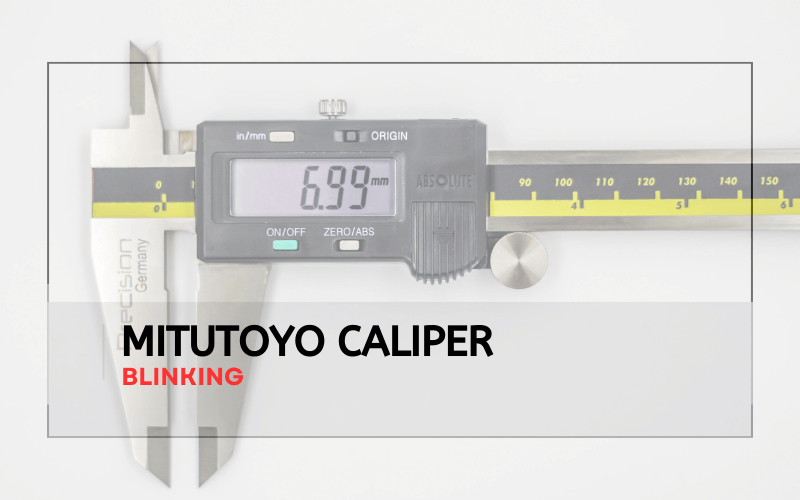
Common Causes Of Blinking
If your Mitutoyo caliper starts blinking, it can be frustrating. Blinking often indicates an issue that needs attention. Two common causes are low battery and a dirty scale surface.
Low Battery Issues
A low battery is a frequent reason for blinking. The caliper needs a reliable power source to function properly. Check the battery status if blinking occurs. Replace the battery if needed.
- Remove the old battery.
- Insert a new battery.
- Ensure the battery is correctly placed.
Using a fresh battery can solve the blinking issue. Regularly check the battery to avoid interruptions.
Dirty Scale Surface
A dirty scale surface can also cause blinking. Dirt or debris on the scale interferes with accurate measurements. Clean the scale to maintain its precision.
- Turn off the caliper.
- Use a soft cloth to wipe the scale.
- Avoid using water or harsh chemicals.
Keeping the scale clean ensures accurate readings. Regular maintenance helps prevent blinking problems.

Credit: www.engineerable.com
Preliminary Checks
When your Mitutoyo caliper starts blinking, it’s often a sign that something needs attention. Conducting preliminary checks can help identify the issue and ensure accurate measurements. Let’s dive into the essential steps to troubleshoot your caliper.
Inspect The Battery
One of the common reasons for a blinking caliper is a low battery. Follow these steps to inspect and replace it:
- Remove the battery cover. Use a small screwdriver if needed.
- Check the battery for any signs of corrosion or damage.
- If the battery looks old, replace it with a new one. Use a SR44 battery, which is the recommended type.
- Ensure the new battery is inserted correctly. The positive side should face up.
- Close the battery cover securely.
A fresh battery can often resolve the blinking issue. If not, proceed to the next step.
Clean The Caliper
Dirt and debris can affect the caliper’s performance. Cleaning it properly can help:
- Use a soft, lint-free cloth to wipe the caliper.
- For stubborn dirt, dampen the cloth with a small amount of alcohol.
- Pay special attention to the measuring jaws and the slider.
- Avoid using water or harsh chemicals, as they can damage the electronics.
Keeping your caliper clean ensures accurate readings and prolongs its lifespan. Regular maintenance is key.
Replacing The Battery
Is your Mitutoyo caliper blinking? It might be time to replace the battery. Battery replacement is straightforward and ensures your caliper works perfectly. Follow these steps to keep your tool in top shape.
Choosing The Right Battery
First, identify the battery type. Most Mitutoyo calipers use an SR44 battery. This information can be found in the user manual or on the back of the caliper. Using the correct battery type is crucial for optimal performance.
Here is a quick reference table for common Mitutoyo caliper batteries:
| Caliper Model | Battery Type |
|---|---|
| 500-196-30 | SR44 |
| 500-197-30 | SR44 |
| 500-171-30 | CR2032 |
Step-by-step Replacement
- Turn off the caliper: Ensure the caliper is switched off before starting.
- Locate the battery cover: Typically, the cover is on the back of the caliper.
- Open the cover: Use a small screwdriver to remove the cover.
- Remove the old battery: Carefully take out the old battery.
- Insert the new battery: Place the new battery in the same orientation as the old one.
- Close the cover: Securely fasten the battery cover back in place.
- Turn on the caliper: Power on the caliper to ensure it’s working properly.
Follow these simple steps to keep your Mitutoyo caliper functioning correctly. Always use the correct battery type for your specific model.
Cleaning The Scale Surface
Proper maintenance of your Mitutoyo caliper is essential for accurate measurements. A blinking display often indicates the need for cleaning the scale surface. This process ensures your caliper functions efficiently and accurately.
Materials Needed
- Soft lint-free cloth
- Isopropyl alcohol (70% or higher)
- Compressed air canister
- Soft brush
Proper Cleaning Techniques
Start by turning off the caliper. Then, use a soft brush to remove any loose debris from the scale surface. Be gentle to avoid scratching.
Next, take the soft lint-free cloth and dampen it with isopropyl alcohol. Gently wipe the scale surface in one direction. This ensures that any stubborn dirt or grease is removed.
After wiping, use the compressed air canister to blow away any remaining particles. Hold the canister upright and spray short bursts. Avoid prolonged spraying to prevent moisture buildup.
Repeat the wiping process if necessary. Ensure the scale surface is completely dry before turning the caliper back on. This helps prevent any potential issues with the electronics.
Maintaining a clean scale surface is crucial for your Mitutoyo caliper. Regular cleaning keeps it in peak condition, ensuring precise measurements every time.
Resetting The Caliper
A Mitutoyo Caliper blinking can indicate the need for a reset. This process ensures accurate measurements and smooth operation. Resetting the caliper can be done manually or digitally, depending on the model. Below are detailed instructions for both methods.
Manual Reset Instructions
Manual resetting is straightforward. Follow these steps:
- Turn off the caliper.
- Clean the caliper jaws with a soft cloth.
- Move the slider to the closed position.
- Turn on the caliper and check the display for zero.
- If necessary, press the “Zero” button to set the display to zero.
Digital Reset Process
For digital calipers, the reset process is slightly different:
- Ensure the caliper is off.
- Check the battery and replace if needed.
- Turn on the caliper and press the “Origin” button.
- Move the slider to the closed position.
- Press the “Zero” button to reset the display.
Both methods ensure your Mitutoyo Caliper is ready for precise measurements. Regular resets maintain accuracy and extend the tool’s life.
Calibrating The Caliper
Ensuring accurate measurements with your Mitutoyo Caliper requires regular calibration. Calibration ensures the tool maintains precision and reliability. This section will guide you through the essential steps and tools needed for effective calibration.
Calibration Tools
Before calibrating your Mitutoyo Caliper, gather the necessary tools. The following items are essential:
- Gauge Blocks: Standard for checking the accuracy of the caliper.
- Micrometer: Helps to verify the measurements.
- Calibration Certificate: Ensures traceability and standards compliance.
- Clean Cloth: Removes dust and debris from the caliper surfaces.
Calibration Steps
Follow these steps to calibrate your Mitutoyo Caliper:
- Clean the Caliper: Use the clean cloth to wipe the caliper surfaces. Ensure no dust or dirt remains.
- Zero the Caliper: Close the jaws and press the zero button to reset the reading.
- Check with Gauge Blocks: Measure the gauge blocks with the caliper. Compare the readings with the block’s known dimensions.
- Adjust if Necessary: If the readings differ, adjust the caliper according to the manufacturer’s instructions.
- Verify with Micrometer: Use the micrometer to confirm the caliper’s accuracy. Make sure the readings are consistent.
- Record Results: Document the calibration results in the calibration certificate. This ensures traceability and compliance.
Regular calibration maintains the accuracy and reliability of your Mitutoyo Caliper. Following these steps will ensure precise measurements every time.
When To Seek Professional Help
Using a Mitutoyo caliper can sometimes lead to issues, such as blinking errors. Simple solutions may fix these errors. But some problems need professional help. Knowing when to seek help is crucial. This can save time and prevent further damage. Below, we discuss identifying complex issues and contacting support.
Identifying Complex Issues
Some errors are easy to fix. But others are more complex. Here are signs you need a professional:
- Persistent blinking after basic troubleshooting.
- Erratic readings that don’t match known measurements.
- Physical damage to the caliper, such as bent or broken parts.
- Battery replacement not solving the issue.
- Software errors that prevent accurate measurements.
If you notice any of these, it’s time to seek help. Trained technicians can diagnose and fix these issues.
Contacting Support
When you need help, contacting support is the next step. Follow these guidelines to get the best assistance:
- Gather all necessary information about your caliper. Include the model number, purchase date, and a detailed description of the issue.
- Visit the Mitutoyo website to find support options. They often have FAQs, troubleshooting guides, and contact details.
- Fill out any online support forms with clear and concise information.
- If needed, call the support number provided. Be ready to explain the issue and steps you have already taken.
Using these steps ensures you get the right help quickly. Proper communication can lead to faster resolutions.
Preventive Maintenance Tips
Ensuring your Mitutoyo Caliper functions accurately involves regular maintenance. This section provides key tips to keep your caliper in top condition. These steps help avoid blinking errors and ensure precise measurements.
Regular Cleaning Schedule
Clean your caliper frequently to prevent dust and debris buildup. Use a soft cloth to wipe the surfaces. Avoid using harsh chemicals. Instead, use a mild cleaner. This prevents damage to the electronic components.
Consider a weekly cleaning routine. If used in dirty environments, clean it more often. Consistent cleaning ensures accurate readings and extends the life of your caliper.
Proper Storage Practices
Store your Mitutoyo Caliper in a clean, dry place. Avoid areas with high humidity. Humidity can cause rust and corrosion. Use the protective case provided with the caliper. This keeps it safe from physical damage.
Keep the caliper in a horizontal position. This prevents strain on the sensitive parts. Never store it with the jaws closed tightly. This can damage the measurement surfaces.
| Do’s | Don’ts |
|---|---|
| Clean with a soft cloth | Use harsh chemicals |
| Store in a dry place | Store in humid areas |
| Use the protective case | Store with jaws closed tightly |
Frequently Asked Questions
Why Is My Mitutoyo Caliper Blinking?
Your Mitutoyo caliper may blink due to low battery power. Replace the battery to resolve this issue.
How Do I Fix A Blinking Mitutoyo Caliper?
To fix a blinking Mitutoyo caliper, check the battery first. Replace it if necessary. If the issue persists, consult the manual.
What Battery Does Mitutoyo Caliper Use?
Mitutoyo calipers typically use SR44 silver oxide batteries. Ensure you use the correct battery type for optimal performance.
Can Low Temperature Cause Mitutoyo Caliper To Blink?
Yes, low temperatures can affect Mitutoyo calipers. Store and use them in recommended temperature ranges to avoid issues.
Conclusion
Troubleshooting a Mitutoyo caliper blinking issue can be simple. Start with checking the battery. Ensure it is properly installed and charged. Clean the caliper to remove any dirt or debris. This often solves the problem. If issues persist, consult the manual or contact customer support.
Regular maintenance can prevent future issues. Keeping your Mitutoyo caliper in good condition ensures accurate measurements. Happy measuring!