
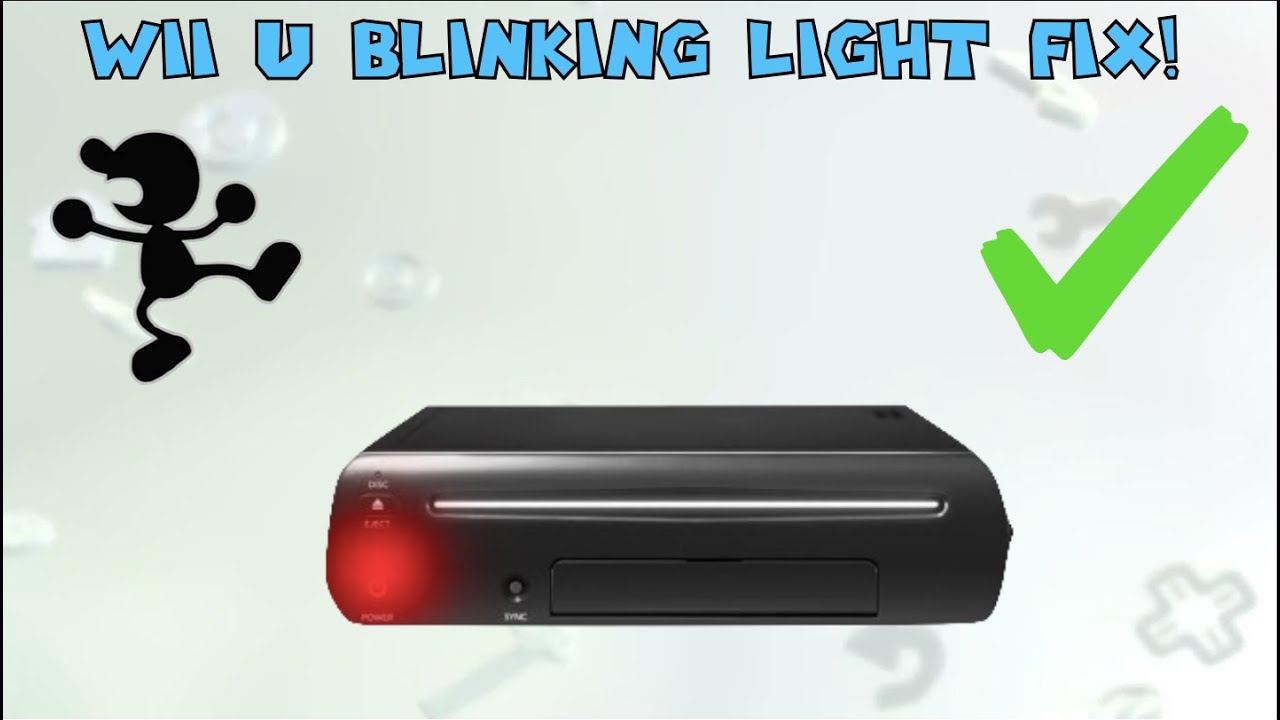
Is your Wii U console blinking a red light and you’re not sure what it means? That flashing red light can be frustrating and even worrying.
But don’t panic—this problem is more common than you think, and there are simple steps you can take to fix it. You’ll learn exactly why your Wii U is blinking red and how to get it back to working perfectly.
Keep reading—you’re just moments away from solving this annoying issue and enjoying your games again.
Credit: www.youtube.com
Reasons For Red Light On Wii U
The red light on a Wii U console signals a problem that needs attention. It does not appear randomly. Each blink pattern has a specific meaning. Understanding the reasons can help fix the issue faster. Below are the main causes of the red light on your Wii U.
Power Supply Issues
The power supply might be faulty or not connected properly. A loose cable or damaged adapter can cause the console to blink red. The console needs the right voltage to work well. Using an incorrect or broken power source often triggers the red light warning.
Overheating Concerns
Wii U consoles can overheat if they lack proper ventilation. Dust or blocked vents stop air from flowing freely. Overheating forces the console to shut down to protect itself. The red light blinks as a warning to cool down the system.
Hardware Malfunctions
Internal components might fail or get damaged. The red light can point to problems with the motherboard or other parts. Physical damage or wear and tear over time cause these issues. Hardware errors often need professional repair or replacement.
Software Glitches
Software errors or corrupted data can trigger the red light. System updates that fail or bugs in the firmware cause glitches. Restarting the console or reinstalling software might fix the problem. Persistent software issues may require technical support.
Basic Troubleshooting Steps
When the Wii U console shows a blinking red light, it signals an issue. Basic troubleshooting steps help find and fix common problems. These steps are easy to follow and require no special tools. Start with simple checks to avoid bigger issues later.
Resetting The Console
Turn off the Wii U completely. Unplug the power cord from the outlet. Wait for about one minute. Plug the power cord back in. Turn on the console and watch the light. This reset can clear minor errors causing the blinking red light.
Checking Power Connections
Check if the power cord is firmly connected to the console. Look for any damage on the cord or plug. Use a different outlet to rule out power problems. Loose or faulty power connections often cause blinking red lights.
Cooling Down The System
The Wii U might overheat, causing the red light to blink. Turn off the console and unplug it. Move it to a cool, open area. Let it rest for at least 30 minutes. Avoid placing the console near heat sources or in closed spaces.
Advanced Fixes For Persistent Red Light
The persistent red light on your Wii U console can be frustrating. Basic fixes may not always work. Advanced fixes require a careful approach and some technical knowledge.
These steps help find deeper problems. They also offer ways to repair your console. Follow each step carefully to avoid further damage.
Inspecting Internal Components
Open the console carefully using the right tools. Check the motherboard for burnt or damaged parts. Look at the power supply connections for loose wires or corrosion. Clean dust and debris inside the console using a soft brush or compressed air. Make sure all cables and connectors are firmly in place.
Reinstalling System Software
Download the official Wii U system update files from Nintendo’s website. Use a USB drive to transfer the files to your console. Follow the on-screen instructions to reinstall the system software. This can fix corrupted files causing the red light error. Do not turn off the console during the update process.
Using External Repair Tools
External tools like multimeters help check electrical signals inside the console. Use a multimeter to test voltage on the power board. Some repair kits include replacement fuses and connectors. These tools can fix minor electrical faults causing the red light. Always follow safety guidelines when using repair tools.

Credit: www.reddit.com
Preventing Future Red Light Issues
Preventing future red light issues on your Wii U console is key to enjoying uninterrupted gaming. Small steps can help keep the console running smoothly. These steps focus on airflow, cleanliness, and power safety. Follow these tips to avoid common problems that cause the red light to blink.
Proper Ventilation Tips
Keep your Wii U in a well-ventilated area. Avoid placing it in tight or enclosed spaces. Leave at least two inches of space around the console. This space helps heat escape and air to flow freely. Avoid stacking other devices on top. Dust buildup in vents can block airflow. Use a small brush or compressed air to clean vents regularly. Good ventilation lowers the risk of overheating and red light errors.
Regular Maintenance Practices
Clean your Wii U often to prevent dust buildup. Use a soft, dry cloth to wipe the outside. Avoid harsh chemicals or water near the console. Check vents and ports for dust or debris. Remove dirt with gentle air bursts or a soft brush. Regular checks help spot problems early. Keeping the console clean extends its lifespan and reduces errors.
Safe Power Usage
Use the original power adapter designed for the Wii U. Avoid using third-party chargers that may not match power needs. Plug the console into a surge protector to guard against power spikes. Turn off the console properly instead of unplugging it suddenly. Sudden power cuts can harm internal parts. Consistent and safe power use keeps the console stable and prevents red light issues.
When To Seek Professional Help
Sometimes, the blinking red light on your Wii U console signals a problem beyond simple fixes. Knowing when to seek professional help can save you time and prevent further damage. It is important to recognize signs that indicate serious hardware issues. Professional repair services have the tools and knowledge needed to fix these problems safely.
Identifying Serious Hardware Problems
If the red light blinks continuously and the console won’t start, it may have a hardware fault. Strange noises or overheating are also warning signs. Frequent crashes or the inability to read discs suggest internal damage. These issues are not easy to fix at home. Attempting repairs without experience might worsen the problem.
Finding Authorized Repair Services
Look for authorized repair centers that specialize in Nintendo consoles. These centers use original parts and follow proper repair procedures. Using unauthorized services can void warranties or cause more damage. Check online for reviews and ratings before choosing a repair shop. Contact the service center to ask about costs and repair times.

Credit: www.reddit.com
Frequently Asked Questions
Why Is My Wii U Console Blinking A Red Light?
A blinking red light on your Wii U signals a power or hardware issue. It often means the console is overheating or has a system error.
How Can I Fix A Blinking Red Light On Wii U?
Try unplugging the Wii U for a few minutes to cool down. Check for dust or blocked vents that might cause overheating.
What Does A Steady Red Light On Wii U Mean?
A steady red light usually means the Wii U is in standby mode. It shows the console is off but still connected to power.
Can A Blinking Red Light Damage My Wii U?
The blinking red light itself does not cause damage. It warns you to check the console to prevent possible overheating or hardware failure.
When Should I Contact Support For Wii U Red Light Issues?
Contact support if the red light keeps blinking after cooling down. Persistent blinking might indicate serious hardware problems needing expert help.
Conclusion
The Wii U blinking red light can signal different problems. Check the power and cables first. Restart the console to see if that helps. Clean the console’s vents to avoid overheating. If the light stays red, consider contacting support. Small fixes often solve the issue quickly.
Don’t ignore the blinking light; it means the console needs attention. Stay patient and follow simple steps. Your Wii U can work fine again with care.