
Is your Shark vacuum suddenly flashing lights and leaving you wondering what’s wrong? Those blinking lights aren’t just random—they’re trying to tell you something important about your vacuum’s health.
If you’ve noticed your Shark vacuum lights blinking, you might feel frustrated or unsure about what to do next. Don’t worry—this guide will help you understand what those lights mean and how to fix the problem quickly. Keep reading to get your vacuum back to work without any hassle.
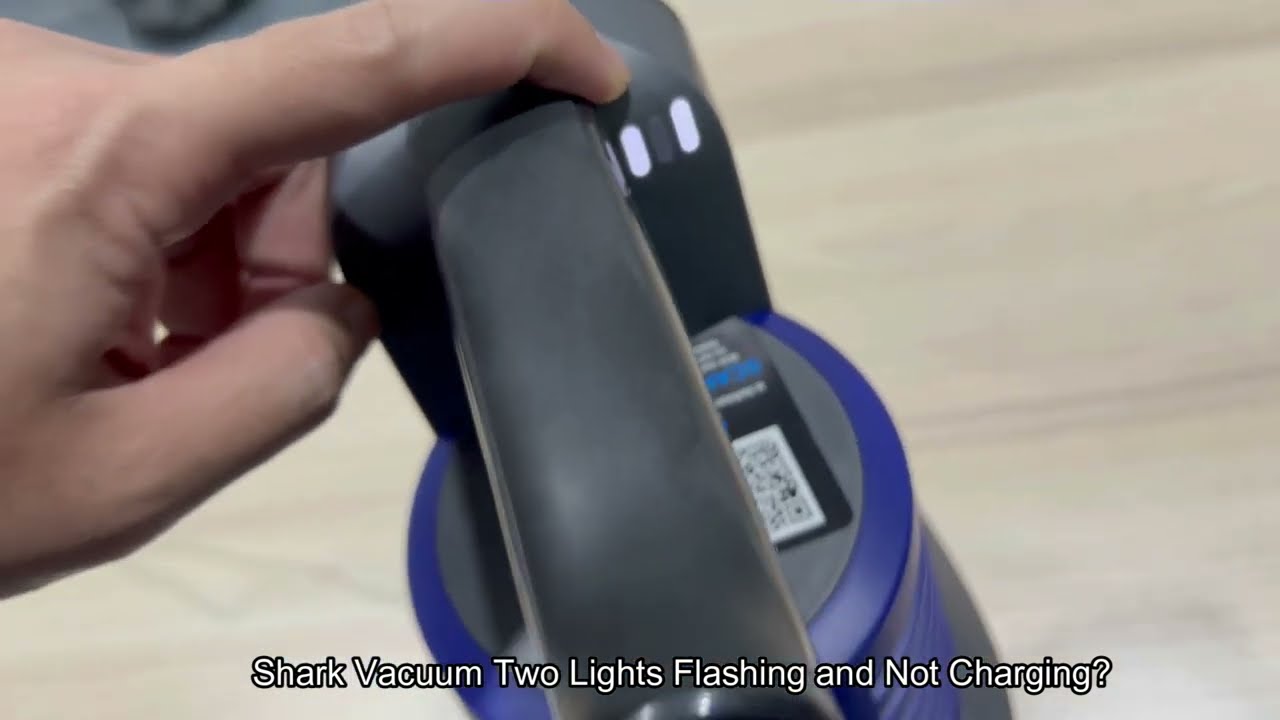
Credit: www.youtube.com
Common Causes Of Blinking Lights
Shark vacuum lights blinking often signals a problem. Understanding the common causes helps fix the issue fast. This section covers the main reasons behind the blinking lights.
Power Supply Issues
Power supply problems often cause blinking lights. A loose cord or bad outlet can stop the vacuum from charging. Check the power connection first. A steady power flow is crucial for the vacuum to work well.
Battery Problems
Batteries lose strength over time. A weak battery may cause the lights to blink. Sometimes the battery is not installed correctly. Replace old batteries and ensure they fit snugly in place.
Motor Overheating
The motor can get too hot during use. Overheating triggers the blinking light as a warning. Let the vacuum cool down before using it again. Clean the motor area to avoid dust buildup.
Blocked Filters Or Brushes
Clogged filters or brushes reduce vacuum power. Blockages cause the lights to blink as a sign. Remove debris and clean all filters and brushes regularly. Clear airflow helps the vacuum run smoothly.
Troubleshooting Power Supply
The blinking lights on your Shark vacuum often signal a power supply issue. Fixing this problem usually starts with checking the power source and connections. A few simple steps can help you identify and solve the issue fast. Follow these tips to troubleshoot the power supply of your vacuum.
Check The Power Outlet
Start by testing the power outlet. Plug another device into the same outlet to see if it works. If the other device does not turn on, the outlet might be faulty. Try a different outlet in the room or another room. Avoid using extension cords as they can cause power drops.
Inspect The Charger And Cord
Look closely at the charger and cord for any visible damage. Cracks, frays, or bends can stop the vacuum from charging properly. Clean the charger’s contacts to remove dust or dirt. Use only the charger that came with your Shark vacuum. Using the wrong charger can trigger blinking lights.
Reset The Vacuum
Sometimes, resetting the vacuum solves power glitches. Turn off the vacuum and unplug it from the outlet. Wait for 1 to 2 minutes before plugging it back in. Turn the vacuum on and check if the lights stop blinking. This simple reset can clear minor errors in the vacuum’s system.
Battery Maintenance Tips
Proper battery care keeps your Shark vacuum running smoothly. A well-maintained battery lasts longer and performs better. Follow simple tips to avoid blinking light issues caused by battery problems.
Battery Charging Best Practices
Charge the battery fully before the first use. Use only the charger that comes with the vacuum. Avoid overcharging by unplugging after it reaches 100%. Store the vacuum in a cool, dry place during charging. Do not leave the battery empty for long periods.
Replacing The Battery
Replace the battery if the vacuum’s light keeps blinking after charging. Use the exact battery model recommended by Shark. Turn off the vacuum before removing the old battery. Follow safety steps to avoid damage or injury. Proper installation ensures the vacuum works correctly.
Battery Life Expectations
Most Shark vacuum batteries last about 1 to 3 years. Usage frequency affects battery life. Frequent deep cleaning may shorten battery lifespan. If run-time drops significantly, it may be time to replace. Regular care helps extend battery life and maintain performance.
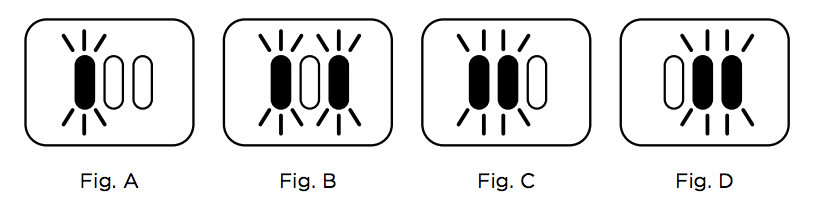
Credit: sharkcleanapac.zendesk.com
Clearing Blockages
Clearing blockages is key to fixing blinking lights on your Shark vacuum. Dirt and debris can clog parts and reduce suction. This causes the vacuum to signal a problem. Simple cleaning steps can help solve these issues quickly. Follow these tips to keep your vacuum running smoothly.
Cleaning Filters
Dirty filters often cause blockages in Shark vacuums. Remove the filter carefully and tap it to remove dust. Wash it with cold water if it looks very dirty. Let it dry completely before putting it back. Never use a wet filter as it can damage the vacuum. Clean filters improve airflow and stop blinking lights.
Removing Hair And Debris From Brushes
Brushes collect hair, threads, and dirt during cleaning. These block the brush roll and reduce performance. Use scissors or your fingers to cut and pull out tangled hair. Check the ends of the brush for trapped debris. Clear out all visible dirt to allow smooth rotation. Clean brushes help the vacuum work better and avoid errors.
Checking The Air Path
The air path moves dust from the floor to the bin. Blockages here stop airflow and cause blinking lights. Look inside the vacuum’s hose and nozzle for clogs. Use a long object or compressed air to clear stuck debris. Make sure the path is wide open for air to flow freely. A clear air path keeps suction strong and prevents alerts.
Preventing Motor Overheating
Shark vacuum lights blinking often signals the motor is overheating. Preventing motor overheating helps your vacuum last longer. It keeps the vacuum working well without damage. Cooling the motor and caring for the vacuum stops the lights from blinking. Simple steps protect the motor and keep cleaning easy.
Allowing Cooling Time
Give the vacuum breaks during use. Let the motor cool for at least 15 minutes. Avoid running the vacuum for too long without stopping. Cooling time helps the motor stay at a safe temperature. This lowers the risk of overheating and blinking lights.
Avoiding Overuse
Do not use the vacuum on very thick carpets or heavy dirt for long. Use it on lighter jobs to prevent stress on the motor. Overuse causes the motor to work too hard and get hot. Using the vacuum properly keeps the motor safe and prevents blinking lights.
Regular Maintenance
Clean filters and empty the dustbin often. Check for blockages in the brush or hose. Dirty parts make the motor work harder and heat up. Regular care helps the vacuum run smoothly. This reduces motor strain and stops overheating.

Credit: www.youtube.com
When To Seek Professional Help
Knowing when to get professional help for your Shark vacuum is important. Some problems need expert care to avoid damage or safety risks. This section explains signs of serious electrical issues and how to use warranty or support services.
Identifying Serious Electrical Issues
Lights blinking can mean small or big problems. If the vacuum smells burnt or makes strange noises, stop using it. Sparks or smoke are serious signs. These need expert repair to keep you safe and protect your vacuum.
Warranty And Repair Options
Check your Shark vacuum warranty before trying fixes. Many repairs may be covered, saving money. Using authorized repair services keeps your warranty valid. Avoid opening the vacuum yourself if it is still under warranty.
Contacting Shark Customer Support
Shark offers support for product issues and questions. Contact them for advice on blinking lights or other problems. They can guide you on warranty, repairs, and authorized service centers. Keep your vacuum’s model and purchase info ready for faster help.
Frequently Asked Questions
Why Are My Shark Vacuum Lights Blinking?
Blinking lights usually mean the vacuum has an issue. It could be a clog, full dustbin, or battery problem.
What Does A Red Blinking Light On Shark Vacuum Mean?
A red blinking light often signals an error or low battery. Check the dustbin and clean any blockages.
How Can I Stop Shark Vacuum Lights From Blinking?
Clear any clogs, empty the dustbin, and recharge the battery fully. This usually stops the blinking lights.
Does Blinking Light Mean My Shark Vacuum Needs Repair?
Not always. Many blinking light issues fix with cleaning or charging. Repair is only needed if problems persist.
How Long Should Shark Vacuum Lights Blink During Charging?
Lights may blink while charging and turn solid when done. If blinking continues too long, check the charger or battery.
Conclusion
Shark vacuum lights blinking often signal an issue. Check the filter and brush roll for blockages. Make sure the vacuum is charged and properly assembled. Resetting the vacuum can sometimes fix the problem. Regular cleaning helps prevent blinking light errors.
Understanding these simple steps saves time and stress. Keep your vacuum running smoothly for cleaner floors. Remember, small fixes often solve common vacuum issues. Take action early to avoid bigger problems later. Your Shark vacuum will work better with proper care.