
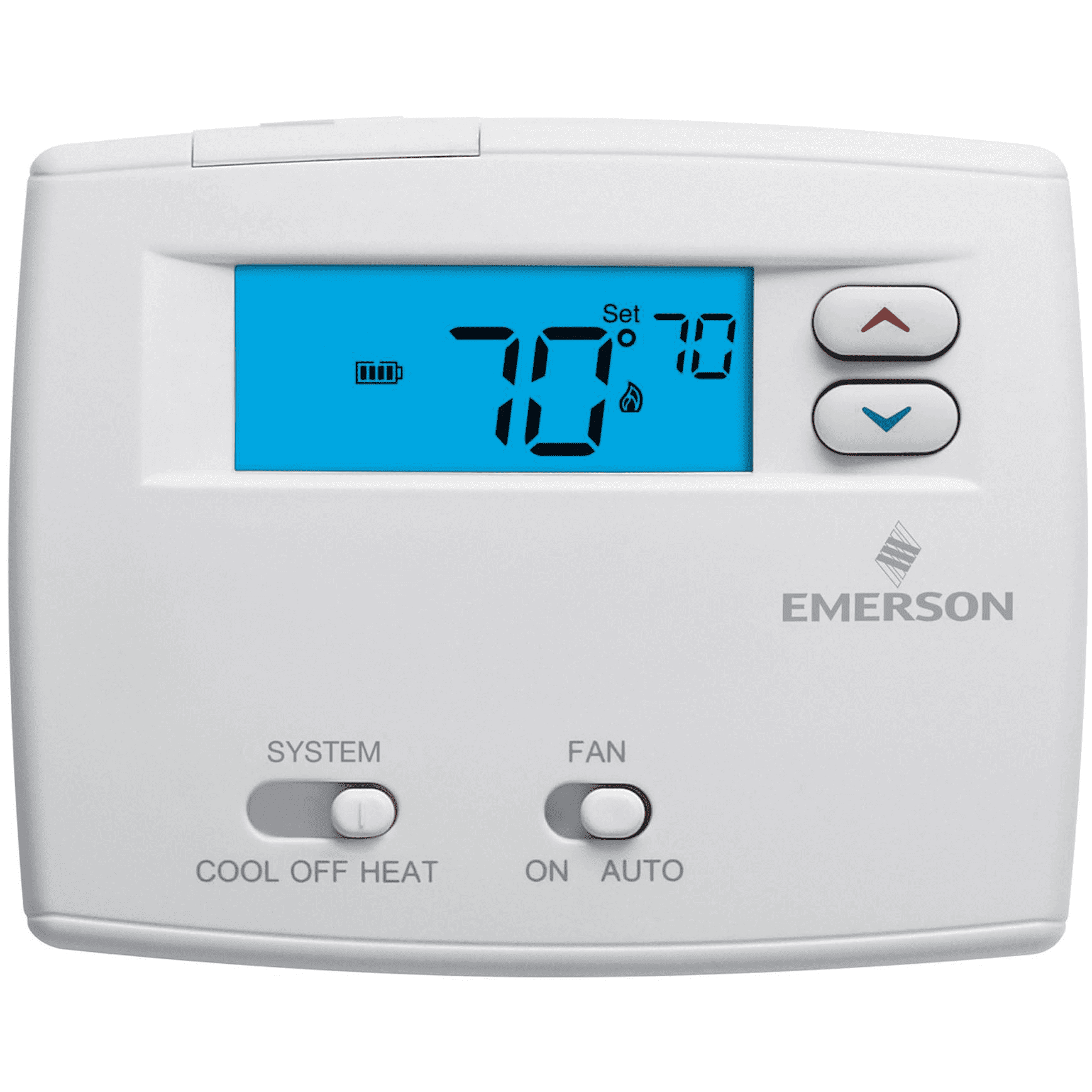
Is your Emerson thermostat showing a blinking flame, and you’re not sure what it means? You’re not alone.
That little blinking light can feel confusing and even a bit worrying. But don’t stress—this signal is actually your thermostat’s way of telling you something important about your heating system. You’ll discover exactly why the flame is blinking and what steps you can take to fix it quickly.
Keep reading to take control of your comfort and avoid costly repairs.
Why The Flame Icon Blinks
The flame icon on your Emerson thermostat blinks for several important reasons. This blinking signals changes or issues with your heating system. Understanding why this happens helps you keep your home safe and warm. Here are the main causes behind the blinking flame icon.
Common Causes
The flame icon blinks mostly due to system checks and warnings. Sometimes, the thermostat tries to light the furnace. If the flame does not stay lit, the icon will blink.
Other times, the thermostat detects low battery power. This can cause the flame icon to flash as a reminder to replace batteries. Also, wiring problems or loose connections may trigger the blinking.
Temperature sensor errors can cause the flame icon to blink too. The thermostat may think the heat is not working correctly. It uses the blinking flame to tell you to check the system.
Safety Mechanisms
The blinking flame icon acts as a safety alert. It warns of possible dangers like gas leaks or overheating. The thermostat uses this signal to prevent accidents.
Most Emerson thermostats have built-in safety checks. They turn off the furnace if they detect unsafe conditions. The blinking flame shows the system is protecting your home.
This alert helps you catch problems early. It encourages quick action to fix issues. The blinking flame is a sign to keep your heating system safe and efficient.
Basic Troubleshooting Steps
When your Emerson thermostat shows a blinking flame, basic troubleshooting can help fix the issue. These simple steps often solve the problem without extra tools or costs. Follow each step carefully for the best results.
Check Power Supply
Start by making sure your thermostat has power. Check the circuit breaker to see if it tripped. Look for loose batteries or dead cells if your model uses them. A lack of power can cause the blinking flame to appear.
Reset The Thermostat
Resetting can clear minor errors. Turn off the thermostat and wait 30 seconds. Turn it back on and watch for the blinking flame. If it stops blinking, the reset fixed the issue. If not, move to the next step.
Inspect Wiring Connections
Loose or damaged wires can cause problems. Turn off the power before checking wires. Remove the thermostat cover and look for loose or disconnected wires. Tighten any loose connections carefully. Broken wires may need replacement by a professional.
Fixing Sensor And Wiring Issues
Fixing sensor and wiring issues is important for your Emerson thermostat’s performance. Problems with sensors or wires can cause the thermostat to blink the flame symbol. These issues stop the thermostat from working correctly. Finding and fixing these problems helps restore proper function.
Identify Faulty Sensors
Start by checking the sensors connected to your thermostat. Faulty sensors often cause the blinking flame. Look for sensors that feel hot or cold when they should not. Test sensors with a multimeter to check their resistance. Replace any sensor that shows abnormal readings. A bad sensor can send wrong signals to the thermostat.
Repairing Loose Wires
Loose wires cause poor connections and blinking flame errors. Turn off the power to your thermostat before touching wires. Check all wire connections for firmness. Push wires back into terminals if they are loose. Replace damaged wires with new ones. Tight connections help the thermostat receive correct signals.
Credit: jacksonsystems.com
Adjusting Thermostat Settings
Adjusting your Emerson thermostat settings can solve many common issues. A blinking flame often signals a need to tweak settings or update firmware. Proper adjustments keep your home comfortable and your system running smoothly.
Configuring Temperature Settings
Start by setting the temperature to your comfort level. Use the up and down arrows on the thermostat. Avoid setting temperatures too high or too low. Extreme settings can cause the flame to blink. Set a consistent temperature to prevent system errors.
Check the thermostat mode is set correctly. For heating, choose the “Heat” mode. Cooling requires the “Cool” mode. The blinking flame can appear if the mode doesn’t match the season. Adjusting the mode helps the system work properly.
Updating Firmware
Firmware controls how the thermostat operates. Old firmware can cause blinking flame errors. Check if your thermostat needs a firmware update. Visit Emerson’s official website or app for update instructions.
Keep the thermostat connected to Wi-Fi for easy updates. Follow the on-screen prompts to complete the update. Updated firmware improves performance and fixes bugs. Regular updates help avoid blinking flame problems.
When To Call A Professional
Knowing when to call a professional for your Emerson thermostat blinking flame issue is important. Some problems are simple and easy to fix. Others need expert help to avoid damage or safety risks.
Calling a technician at the right time saves time and money. It also keeps your home safe. This section explains the signs of complex problems and the safety steps you should follow.
Signs Of Complex Problems
The blinking flame light may mean a simple error. It can also signal a serious problem. Watch for these signs that need a professional’s help:
- The flame light blinks rapidly or in a pattern you cannot understand.
- The thermostat does not control the temperature properly.
- You hear strange noises from the heating system.
- The furnace turns on and off too often.
- There is a smell of gas or burning near the thermostat or furnace.
- The thermostat screen goes blank or shows error codes.
These signs suggest a problem with wiring, sensors, or the furnace itself. Professionals have the tools and knowledge to find the cause and fix it safely.
Safety Precautions
Do not try to fix electrical or gas-related problems yourself. Turn off the power to the thermostat before checking anything. Do not touch wires or internal parts.
If you smell gas, leave the house immediately and call emergency services. Do not use any electrical switches or phones inside the house.
Keep children and pets away from the heating system. Always wait for a professional to inspect and repair the unit if you suspect danger.
Credit: www.homedepot.com
Preventive Maintenance Tips
Preventive maintenance keeps your Emerson thermostat working well. It helps avoid problems like the blinking flame issue. Simple care steps extend the life of your thermostat. These tips save time and money on repairs.
Regular Cleaning
Dust and dirt can block thermostat sensors. Clean your thermostat every month. Use a soft cloth to wipe the outside gently. Avoid using water or sprays near the device. Keep vents and air filters clean too. This improves airflow and thermostat response.
Seasonal Checks
Check your thermostat before each heating or cooling season. Test if it turns on and off properly. Replace batteries if your model uses them. Look for signs of wear or damage. Adjust settings to match the season’s needs. This keeps your home comfortable and energy efficient.

Credit: www.supplyhouse.com
Frequently Asked Questions
Why Is My Emerson Thermostat Flame Blinking?
A blinking flame on your Emerson thermostat means the system is trying to ignite. It may signal a delayed flame or a safety lockout. Checking the furnace and gas supply can help diagnose the issue.
How To Fix Emerson Thermostat Blinking Flame?
Turn off the thermostat and furnace power for a few minutes. Then, restart the system to reset the ignition process. If blinking continues, a professional inspection is recommended.
What Causes Emerson Thermostat Flame To Blink Repeatedly?
Repeated blinking often points to ignition failure or a dirty burner. It can also mean a faulty flame sensor or gas valve. Regular maintenance can prevent these problems.
Can A Blinking Flame Affect Heating Performance?
Yes, a blinking flame can cause the furnace to shut off or run inefficiently. This leads to uneven heating or no heat at all. Timely troubleshooting restores proper function.
When Should I Call A Technician For Blinking Flame?
Call a technician if blinking lasts more than a few minutes or repeats often. Persistent blinking indicates a deeper issue needing expert repair. Avoid guessing to ensure safety.
Conclusion
The blinking flame on your Emerson thermostat signals a problem needing attention. Check the battery and wiring for simple fixes. Sometimes, a reset clears the error quickly. Persistent blinking may mean calling a professional for help. Understanding these signs keeps your home comfortable and safe.
Don’t ignore the blinking flame; act promptly to avoid bigger issues. Stay calm and follow these easy steps to solve the problem. Your thermostat controls your heating—keep it working well.