
Is your Navien tankless water heater refusing to turn on when you need it most? It’s frustrating, especially when hot water is essential for your daily routine.
You might be wondering what’s causing the problem and how to fix it quickly. This guide is made just for you. We’ll walk you through simple steps to identify the issue and get your water heater back to working smoothly.
Keep reading—you’re closer to a warm shower than you think.
Common Causes Of Power Issues
Navien tankless water heaters sometimes fail to turn on due to power issues. These problems can stop the heater from working properly. Knowing the common causes helps find the problem fast. This saves time and avoids extra costs.
Check The Power Supply
First, check if the unit is getting power. The heater needs electricity to work. Make sure the power switch is on. Look for any signs of power loss. Sometimes, the outlet might not be working. Test the outlet with another device to confirm.
Inspect The Circuit Breaker
The circuit breaker controls power flow to the heater. A tripped breaker cuts off electricity. Find the breaker panel and look for tripped switches. Reset any switch that is off or in the middle position. This might restore power to the heater.
Examine The Power Cord And Connections
Loose or damaged cords stop the heater from powering on. Unplug the unit and check the power cord for damage. Look for cuts, frays, or burn marks. Ensure all connections are tight and secure. Replace any damaged cords immediately for safety.

Credit: fuseservice.com
Resetting The Water Heater
Resetting the Navien tankless water heater can fix many common issues. It helps clear minor errors and lets the system start fresh. This process is simple and quick.
Knowing how to reset the heater saves time and avoids calling a technician. This section explains how to find the reset button and the steps to reset the unit safely.
Locate The Reset Button
The reset button is usually on the front panel of the heater. Look near the control panel or under the cover. It is often a small red or black button.
Check the heater’s manual for the exact location. The button should be easy to press with your finger.
Step-by-step Reset Process
Turn off the power supply to the water heater first. This keeps you safe during the reset.
Press and hold the reset button for about 5 seconds. Release the button after this time.
Turn the power back on to the heater. Wait a few moments for the system to restart.
Check if the heater turns on properly. Repeat the reset if needed, but do not press the button too often.
Thermostat And Temperature Settings
The thermostat and temperature settings play a key role in your Navien tankless water heater’s operation. Incorrect settings can stop the heater from turning on. Checking and adjusting these settings can fix many common issues.
Thermostat controls the water temperature. If set too low, the heater may not activate. The temperature setting must match your hot water needs.
Verify Temperature Settings
Start by checking the current temperature on the thermostat display. It should be at least 100°F (38°C) or higher. Settings below this may prevent the heater from turning on.
Look for any error messages on the display. Errors might indicate a problem with the thermostat or sensors. Make sure the thermostat is not locked or disabled.
Adjust The Thermostat
Adjust the thermostat to a higher temperature if needed. Increase the setting in small steps, about 5°F (3°C) at a time. Wait a few minutes after each change to see if the heater turns on.
Do not set the temperature too high. It can cause scalding and waste energy. The recommended range is usually between 120°F and 140°F (49°C to 60°C).
Water Flow And Pressure Problems
Water flow and pressure problems often cause the Navien tankless water heater not to turn on. The unit needs a steady flow of water to start heating. Without enough water pressure, the heater will not activate. These issues can stop hot water from reaching your taps.
Checking water flow and pressure is an important step in fixing the problem. Small blockages or leaks can reduce water supply. The flow sensor inside the heater must also work properly. It detects water movement and signals the heater to turn on.
Check For Water Supply Issues
First, examine the main water valve to ensure it is fully open. Low water supply or closed valves reduce pressure. Look for leaks or broken pipes in your home’s water system. Clean any clogged filters or screens in the water line. These can block water flow and stop the heater from starting.
Inspect The Flow Sensor
The flow sensor senses water moving through the heater. Dirt and debris can block the sensor. This stops the heater from detecting water flow. Gently clean the sensor with a soft cloth or brush. Replace the sensor if it looks damaged or worn out. A working sensor is crucial for the heater’s operation.
Error Codes And Diagnostic Tips
The Navien tankless water heater shows error codes to help find problems quickly. Understanding these codes saves time and avoids extra repair costs. The display panel on the heater shows these codes clearly. Knowing how to read the panel and what each code means helps fix issues safely.
Common Error Codes
Some error codes appear more often than others on Navien units. For example, error code 03 means a problem with the flame sensor. This part checks if the heater flame is burning properly. Error code 05 shows a water flow issue. It means the heater does not sense enough water moving through.
Error code 11 signals a problem with the ignition. The heater tries to start but fails to light. Code 12 means the temperature sensor is not working right. This sensor controls how hot the water gets. Knowing these codes helps spot the problem fast.
How To Read The Display Panel
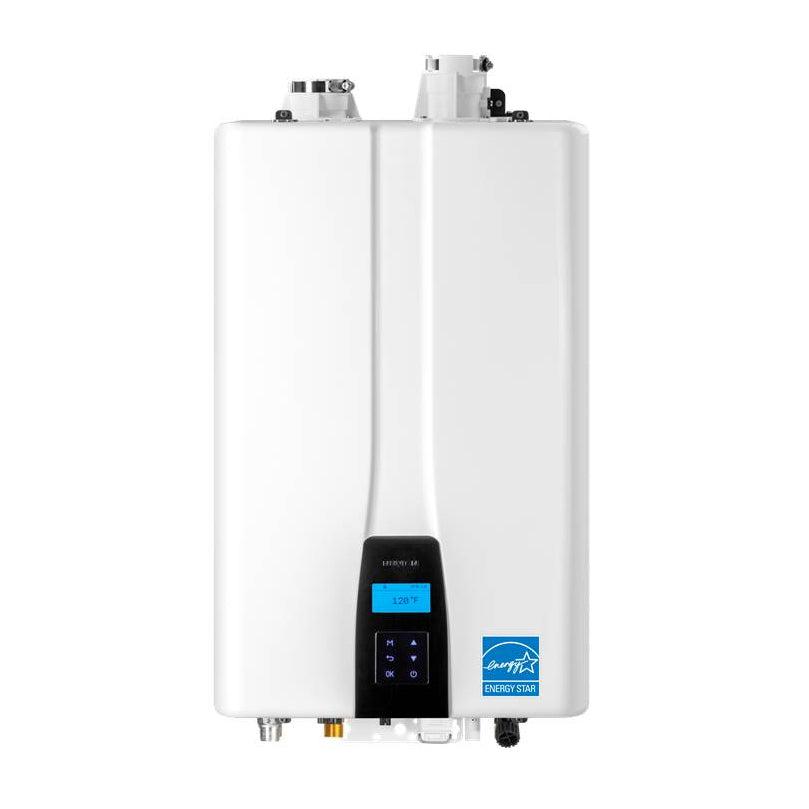
The display panel is usually on the front of the Navien heater. It shows error codes as two-digit numbers. First, check if the panel lights are on. If no lights show, the heater might have no power.
When an error happens, the code blinks on the screen. Count the flashes or see the number displayed. Use the user manual to match the code with its meaning. The panel also shows the water temperature during normal use. This helps check if the heater is working well.
Credit: apfs.com
When To Call A Professional
Knowing when to call a professional for your Navien tankless water heater saves time and prevents damage. Some problems need expert help to fix safely and correctly. Recognizing signs of serious issues early avoids costly repairs and keeps your home safe.
Signs Of Internal Component Failure
Watch for unusual noises like banging or clicking sounds. These often mean parts inside the heater are broken. If the unit does not turn on after checking power and settings, internal failure is likely. Frequent error codes on the display also suggest a serious problem. A professional can diagnose and replace faulty components safely.
Safety Precautions
Turn off power and water supply before inspecting the heater. Avoid trying repairs beyond simple resets or cleaning filters. Gas leaks or electrical faults need urgent expert attention. Do not ignore burning smells or sparks near the unit. Calling a professional ensures repairs follow safety standards and protect your home.

Credit: www.navieninc.com
Frequently Asked Questions
Why Won’t My Navien Tankless Water Heater Turn On?
Check power supply and reset breaker; ensure the unit is properly connected.
How Do I Reset A Navien Tankless Water Heater?
Press the reset button on the unit or turn off power for 30 seconds.
Could A Faulty Thermostat Stop Navien Heater From Starting?
Yes, a broken thermostat can prevent the heater from turning on.
What Role Does Water Pressure Play In Navien Heater Startup?
Low water pressure can stop the heater from activating properly.
Can A Clogged Filter Cause Navien Heater Not To Turn On?
Yes, a dirty filter may block water flow and stop the unit.
Is A Gas Supply Issue Why Navien Heater Won’t Ignite?
A gas leak or shut-off valve can prevent the heater from igniting.
How Often Should I Maintain My Navien Tankless Water Heater?
Cleaning and inspection every 6-12 months helps keep it running smoothly.
Can Electrical Issues Cause Navien Water Heater Startup Failure?
Yes, loose wiring or blown fuses can stop the heater from powering on.
Does A Frozen Pipe Affect Navien Tankless Water Heater Operation?
Frozen pipes can stop water flow and prevent the heater from turning on.
When Should I Call A Professional For Navien Heater Problems?
Call a technician if troubleshooting steps do not fix the issue safely.
Conclusion
Troubleshooting a Navien tankless water heater can feel tricky. Start with simple checks like power supply and error codes. Clean filters and inspect gas or water lines carefully. Small fixes often solve common problems quickly. When issues persist, calling a professional helps avoid damage.
Regular maintenance keeps your heater running smoothly. Stay patient and follow steps one by one. Reliable hot water is worth the effort.